Update a live event without taking it down
Title, description, ticket, and RSVP edits stay live, and only a new time or room needs approval.
The event is already on the calendar. People may already have a ticket. A typo in the title, a clearer description, a new ticket, or an RSVP change should not pull that event down and make it look cancelled. Small fixes are part of running the night. They are not a reason to take it off the schedule.
Those edits stay on the live event. They do not go out to guests until you click Publish Changes. You can correct the copy, look at it, and send it when it is right. Discard puts the event back to what is published now, if you change your mind before you send it.
A new time or a new room is a different kind of change. That can double-book a space, or move a night people already planned around. A new start or end time, marking the event all day, a new setup or teardown time, or a different room sends it back to approvers. Vega warns you first. The event comes off public calendars until it is approved again. You find out before guests do.
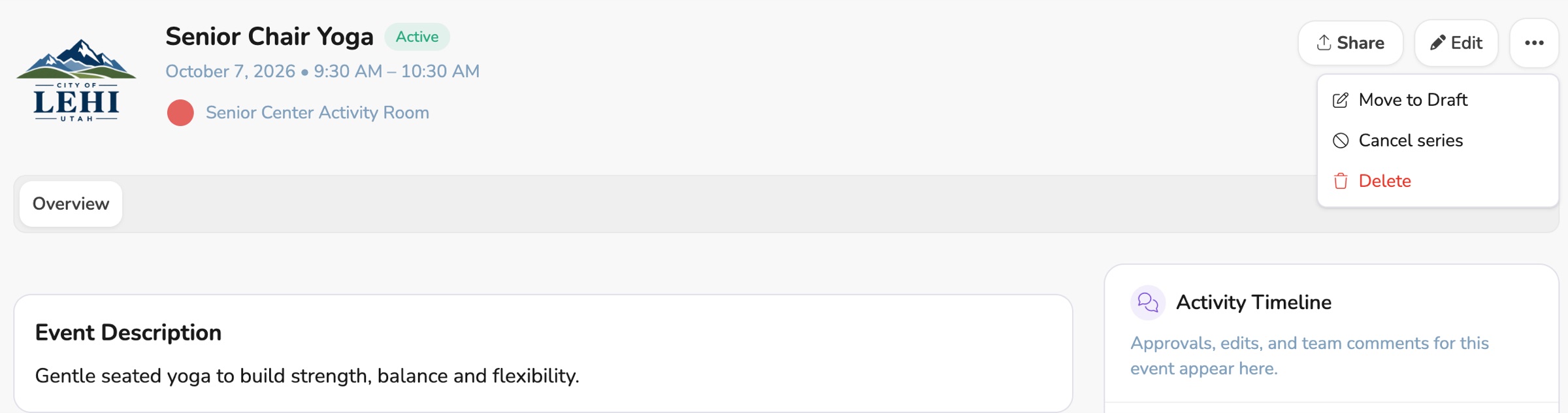
Sent something out too early? Open the menu on the event and choose Move to Draft. A published event is unpublished, and only people who can edit it can see it until you publish again. A request that is waiting on approval is withdrawn. Approvers will not see it until you send it again. You can pull a night back without asking someone to ignore the email they already got.
Pending means an approver needs to act. An event that does not need approval shows a yellow Draft badge instead. From the event itself, you can tell whether you are waiting on someone or whether it is simply not ready to go out.
Learn more
More that's new
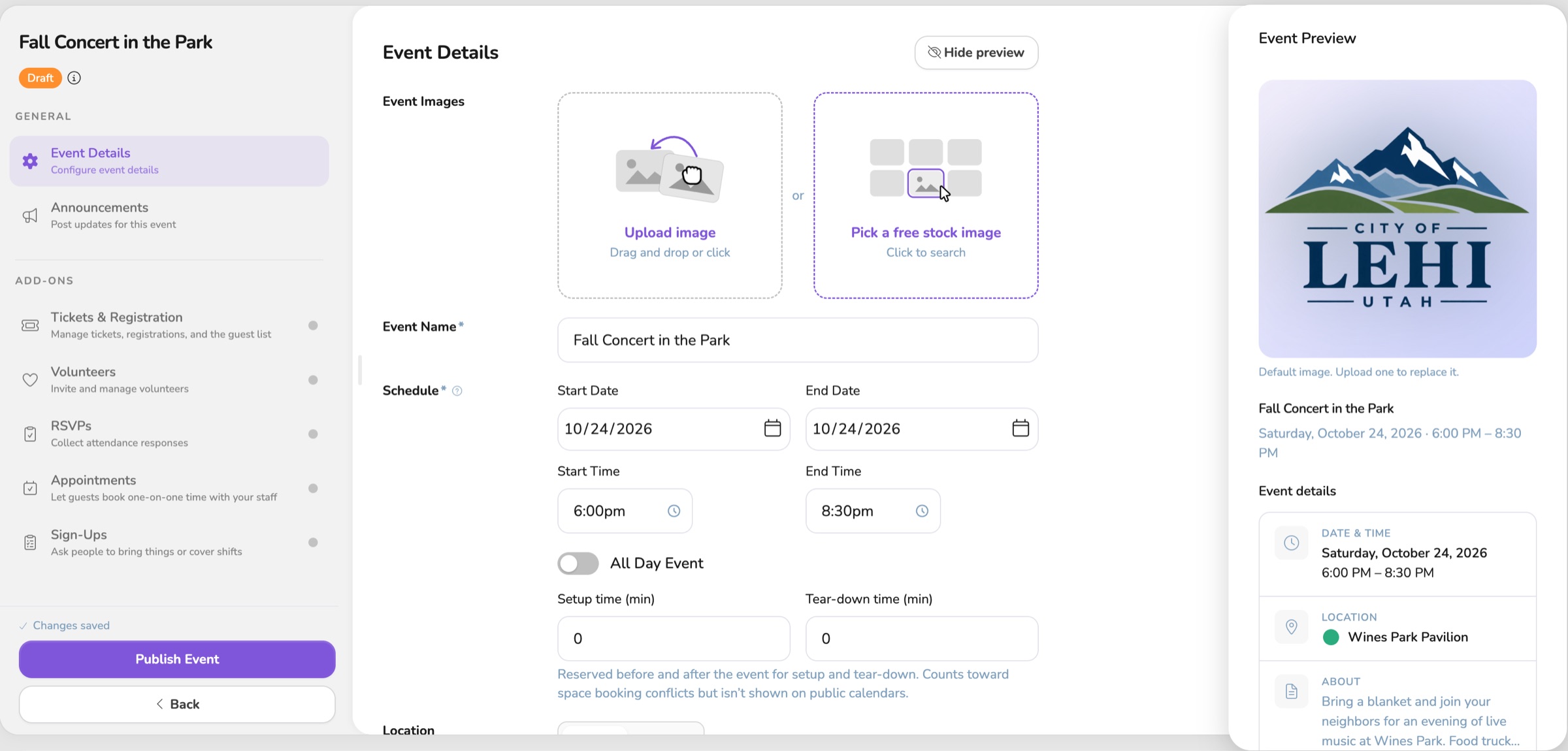
See the event before anyone else does
See the guest view while you draft, keep a live event up while you edit it, and publish a whole series at once.

One Vega logo, on the site and in the app
The app now uses the same Vega logo as the website, from the menu to the sign-in page.
Your event saves as you go
You can start an event and walk away. It saves on its own and waits in My Drafts until you publish.