Managing the Event Calendar
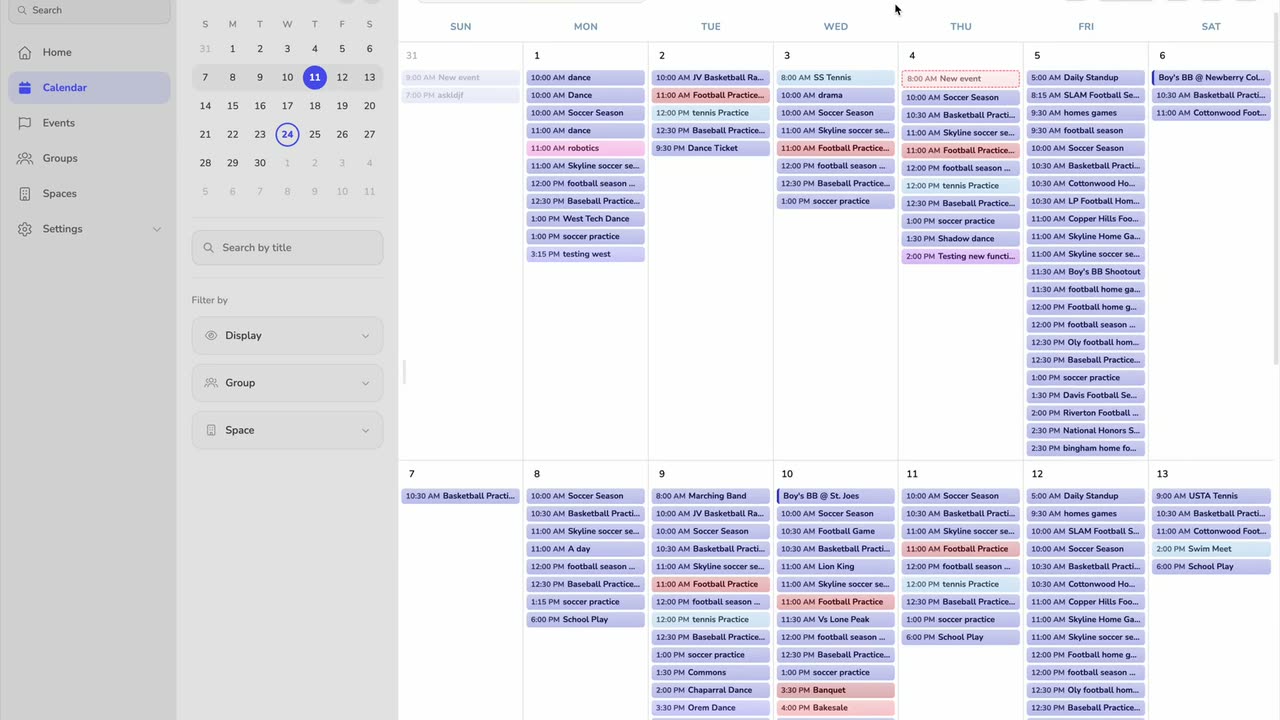
Search, filter, and group the calendar, switch between day, month, and agenda views, and import or print your schedule.
Transcript
0:02 This tutorial guides you through navigating and customizing calendar
0:04 views in Vega Events. You will learn how
0:07 to search, filter, group, and manage
0:09 calendar events effectively. Click the
0:12 calendar section from the dashboard to
0:14 view your scheduled events. Click the
0:16 search by title field to begin filtering
0:18 events by their titles. Enter the
0:21 keyword product in the search field to
0:23 find related events.
0:25 Click the display button to access
0:27 calendar view settings and options.
0:30 Click here to choose a specific display
0:32 setting for your calendar view. Click
0:34 the group button to organize your
0:36 calendar events by different criteria.
0:39 Click the group to select a specific
0:41 grouping category for your events. Click
0:43 here to open more options related to
0:46 calendar event management. Click a space
0:48 to filter or view events scheduled in
0:51 that location.
0:52 Click the clear button to remove the
0:54 location filter and display all events.
0:58 Click the day view option to see your
1:00 calendar events organized by day. Click
1:03 the month view option to display your
1:04 calendar events in a monthly layout.
1:07 Click the agenda view to see a list of
1:09 upcoming events in chronological order.
1:12 Click the import events button to add
1:14 events from external sources into your
1:16 calendar. Click the print button to
1:19 generate a physical copy of your
1:20 calendar view. Click here to reveal
1:23 additional calendar management options.
1:26 Click here to toggle hiding the weekends
1:28 from V. Click the month view option to
1:31 finalize your calendar display
1:32 preference. You have successfully
1:35 navigated and customized various
1:37 calendar views in Vega Events, including
1:40 searching, grouping, and importing
1:42 events. Use these features to
1:44 efficiently manage and organize your
1:46 schedule.
Auto-generated from the video's captions, so it may contain small errors.