Ticket Types & Pricing
Set up Vega ticket types and pricing: GA vs VIP, quantity caps, sales windows, fees, and free or comp tickets for your event.
Vega gives you flexible control over how tickets are structured and priced. You can create multiple ticket types per event, each with its own pricing, quantity limits, and availability windows.
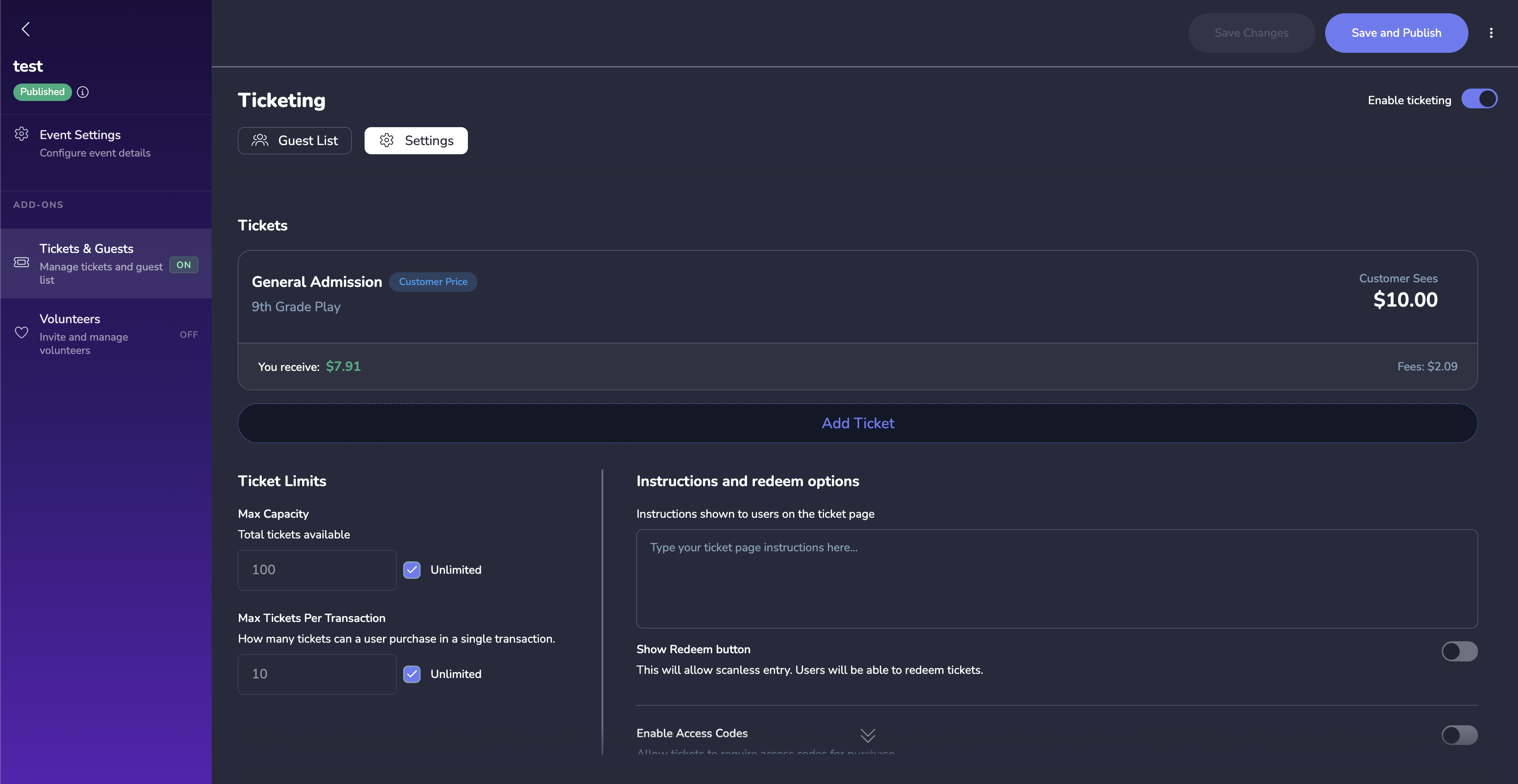
Creating Ticket Types
- Open your event and enable the Tickets & Guests add-on from the left sidebar.
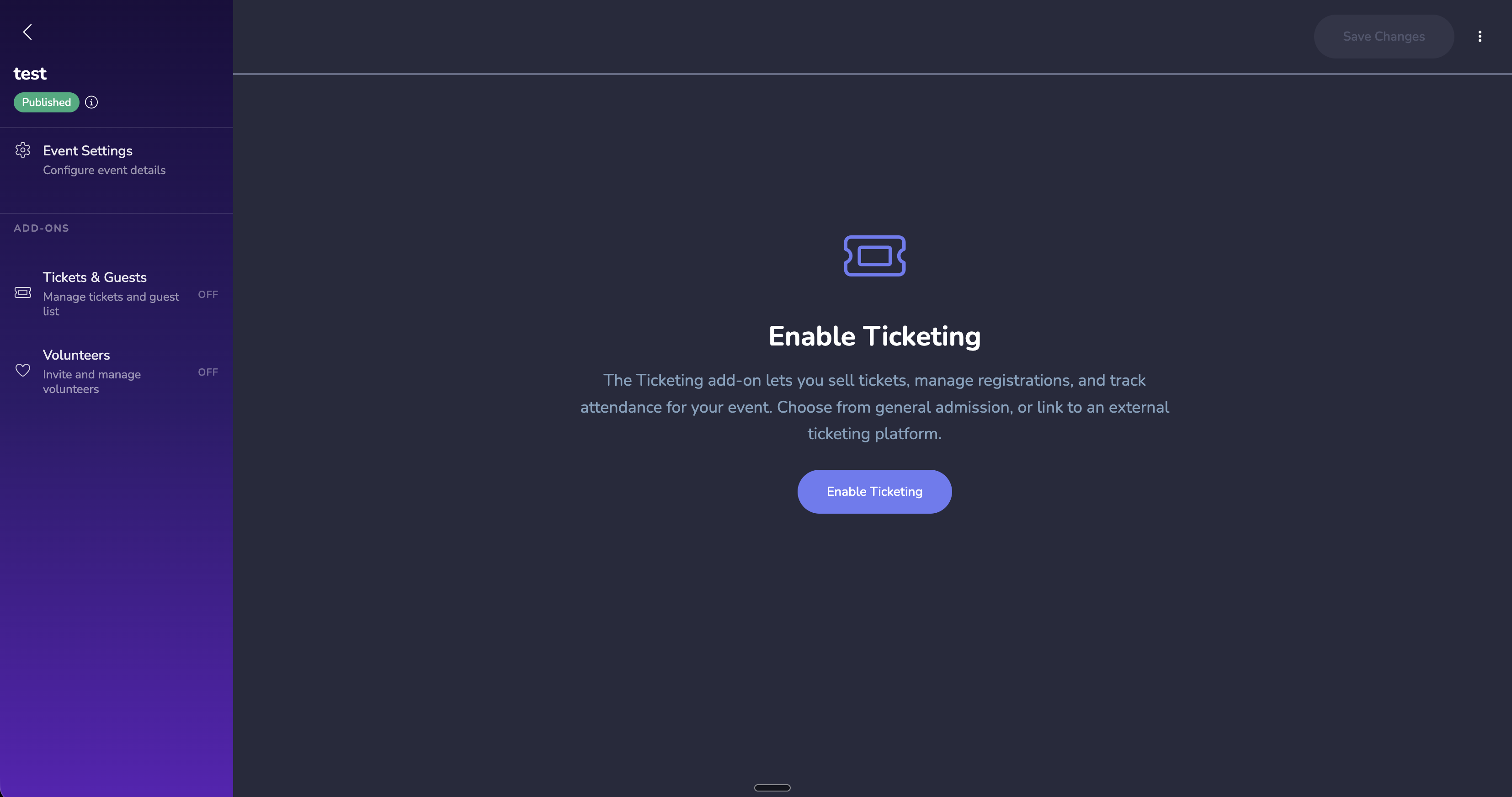
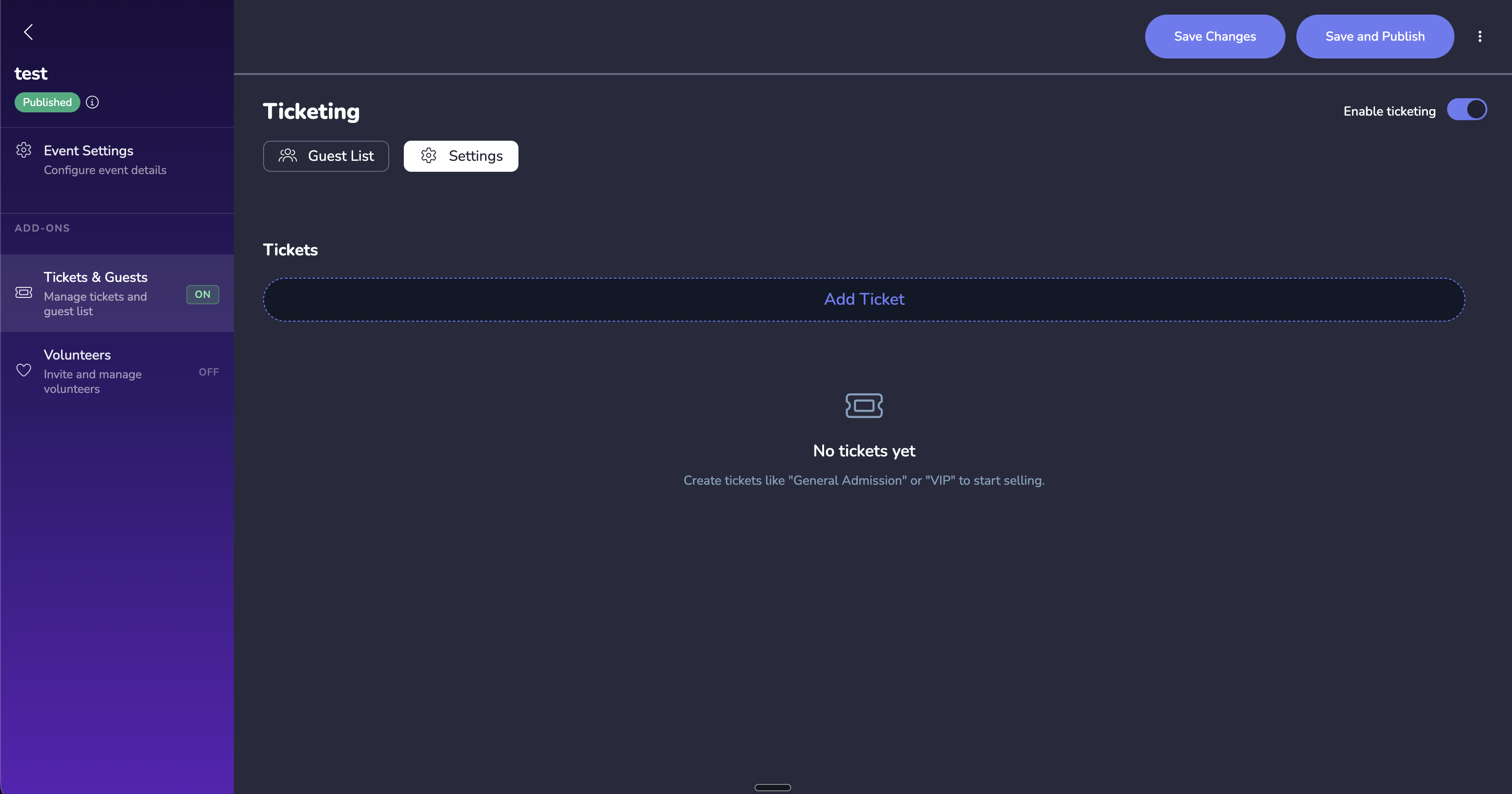
- Click Add Ticket Type.
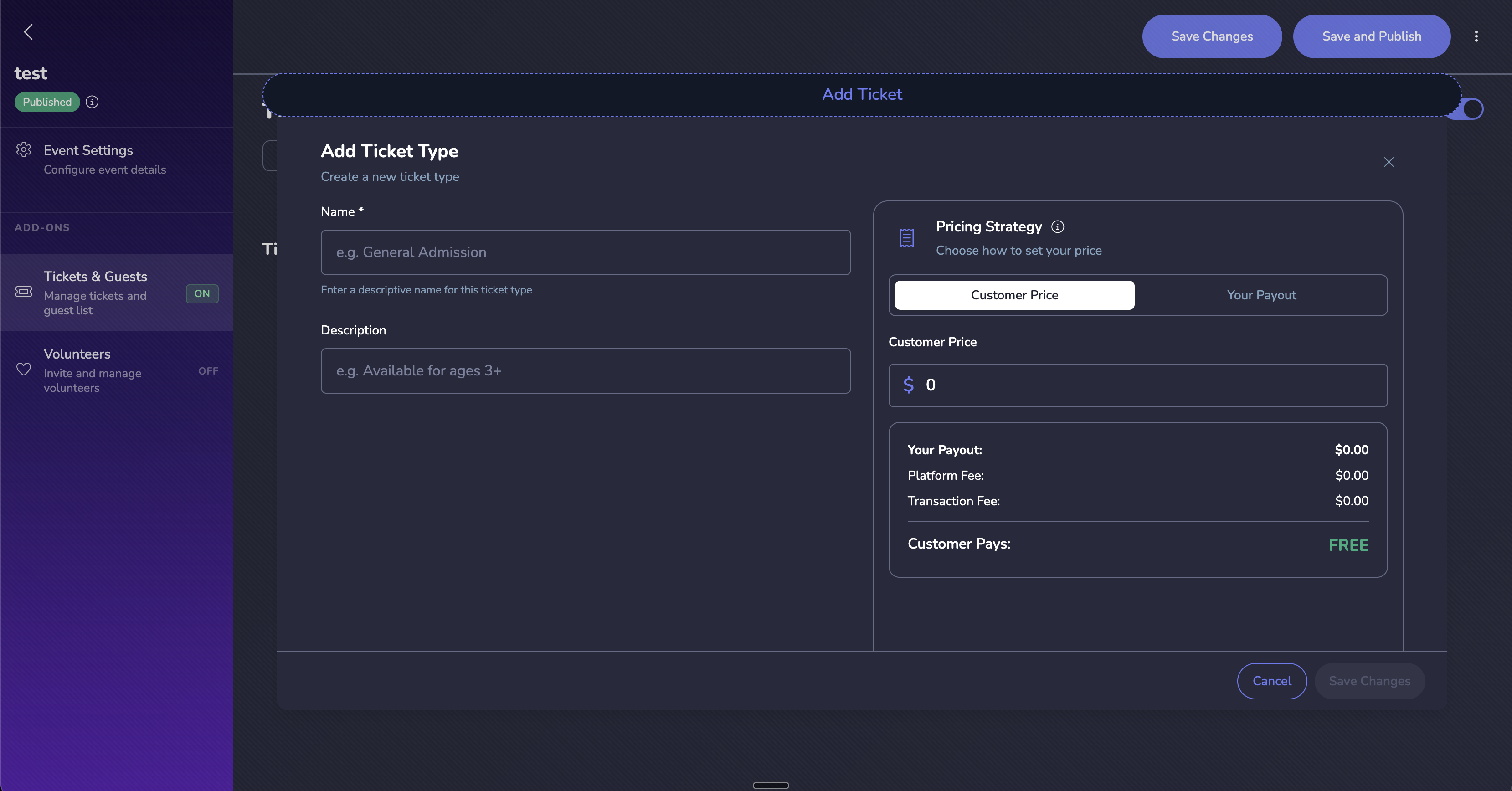
- Fill in the required fields:
- Name – e.g., “General Admission”, “VIP”, “Early Bird”
- Price – set the face value (or $0 for free tickets)
- Quantity – total number available for sale
- Description – briefly explain what the ticket includes
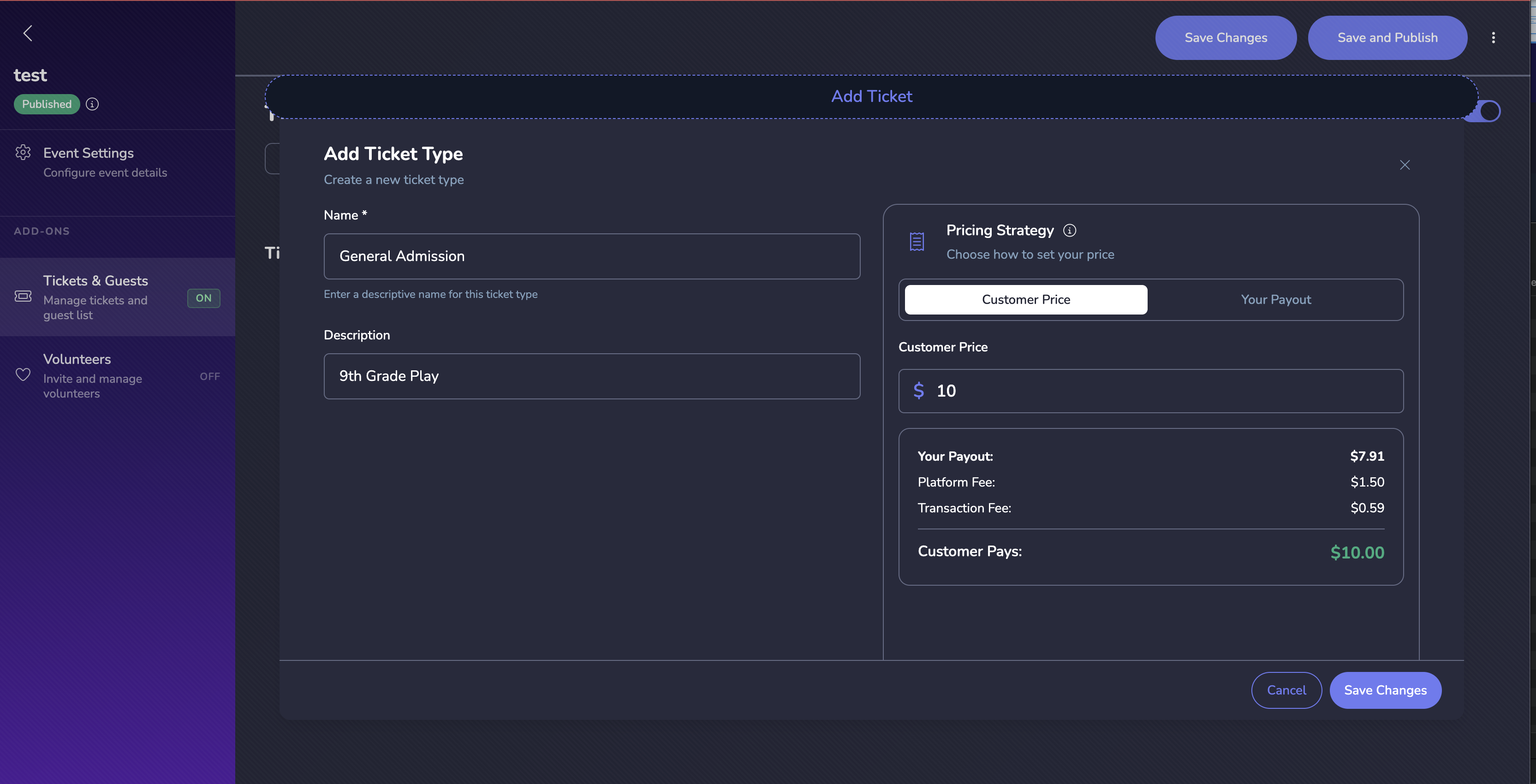
Once saved, you’ll see your ticket types listed with their details.
Pricing Options
Fixed Pricing
Set a single price that remains constant throughout the sales period.
Tiered / Early Bird Pricing
Create time-based price tiers so the cost increases as the event approaches:
- Under the ticket type, click Add Pricing Tier.
- Set the tier name, price, and date range.
- Vega automatically switches to the next tier when the current one expires.
Free Tickets
Set the price to $0. Free tickets still go through the checkout flow so you capture attendee information.
Availability Controls
- Sales start / end dates – control when a ticket type goes on sale and when it stops.
- Min / max per order – set the minimum and maximum number of tickets a single buyer can purchase.
- Hidden tickets – hide a ticket type from the public listing so it is only accessible via a direct link or access code.
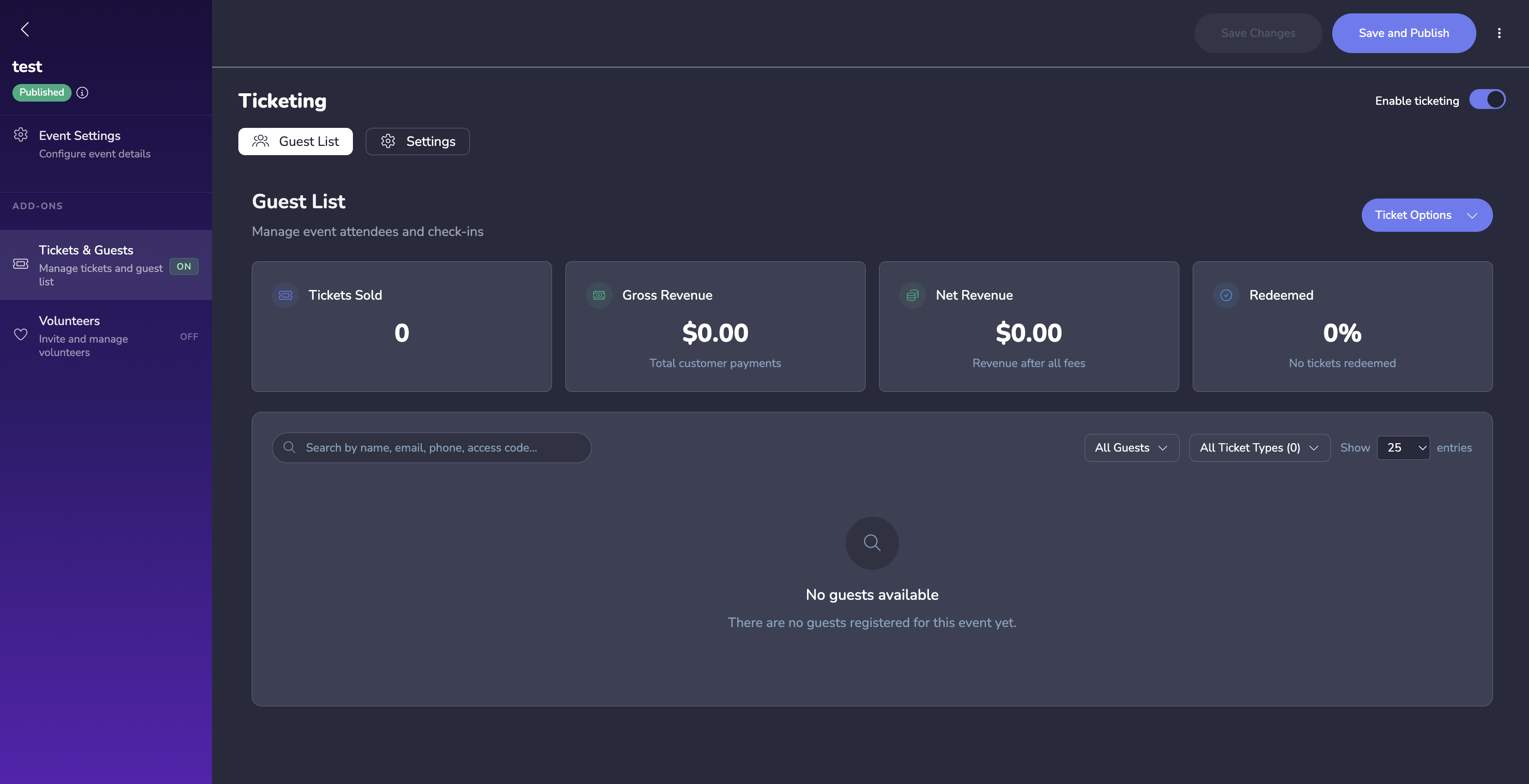
Guest List
Once ticketing is enabled, you can view and manage your guest list — a consolidated view of all ticket holders for the event.
Tips
- Use descriptive ticket names so attendees immediately understand what they are purchasing.
- If you offer multiple tiers, keep the pricing logic simple – attendees abandon carts when confused.
- Monitor the Sales Dashboard to track sell-through rates by ticket type and adjust quantities if needed.