Sales Reports
Read Vega Shop's Sales page: revenue, orders, units sold, average order, revenue by day, online vs in person, and top products, plus an event's Shop tab.
The Sales page shows what your shops sold, online and in person. Click Shop, then Sales. You need the Manage the shop or Approve/Manage Requests permission.
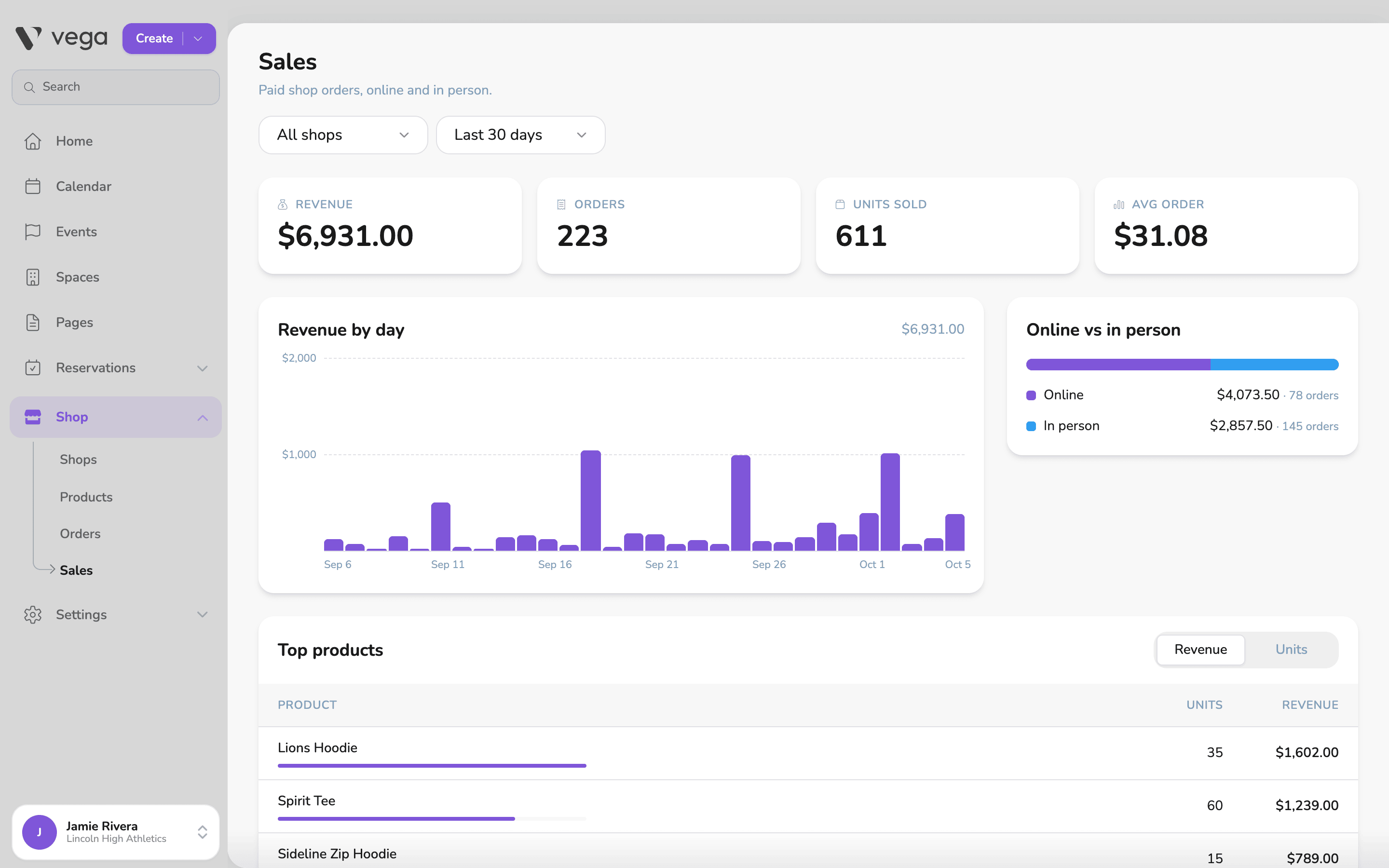
Filters
- Shop. One shop, or All shops.
- Date range. Today, Last 7 days, Last 30 days, Last 90 days or Last 12 months.
What the numbers mean
The page counts paid orders. Refunded amounts and voided orders are left out.
- Revenue. Sales at your listed prices, less refunds.
- Orders. The number of paid orders.
- Units sold. The number of items sold.
- Avg order. The average order total. Comp and free orders aren’t counted in it.
Comps count toward Orders and Units sold, but add nothing to Revenue.
ℹ️ Revenue is not your payout
Charts and tables
- Revenue by day. A bar for each day in the date range.
- Online vs in person. Revenue and order counts for online orders and for register sales.
- Top products. Each product’s units and revenue. Switch between Revenue and Units to change the order.
An event’s Shop tab
To see what sold at one event, open the event and click its Shop tab. It lists the shops selling at that event, each with its status (Open or Closed), orders and sales so far. Click Orders on a shop to see its orders.
The tab shows when at least one shop appears at the event. To add a shop to an event, set its Where it appears to A group or Events. See Set Up a Shop.
Export
To work with order-level data in a spreadsheet, use Export CSV on the Orders page. See Orders and Refunds.