Sharing a Group
Invite people into a Vega group using the share button: generate a QR code or copy a share link to send to anyone—including private, invite-only groups.
The fastest way to get people into a group—public or private—is to share it directly with them. Vega generates a shareable link and a QR code that anyone can use to join, so you don’t have to add members one at a time.
Sharing a Group
- Open the group from the Groups section in the admin sidebar.
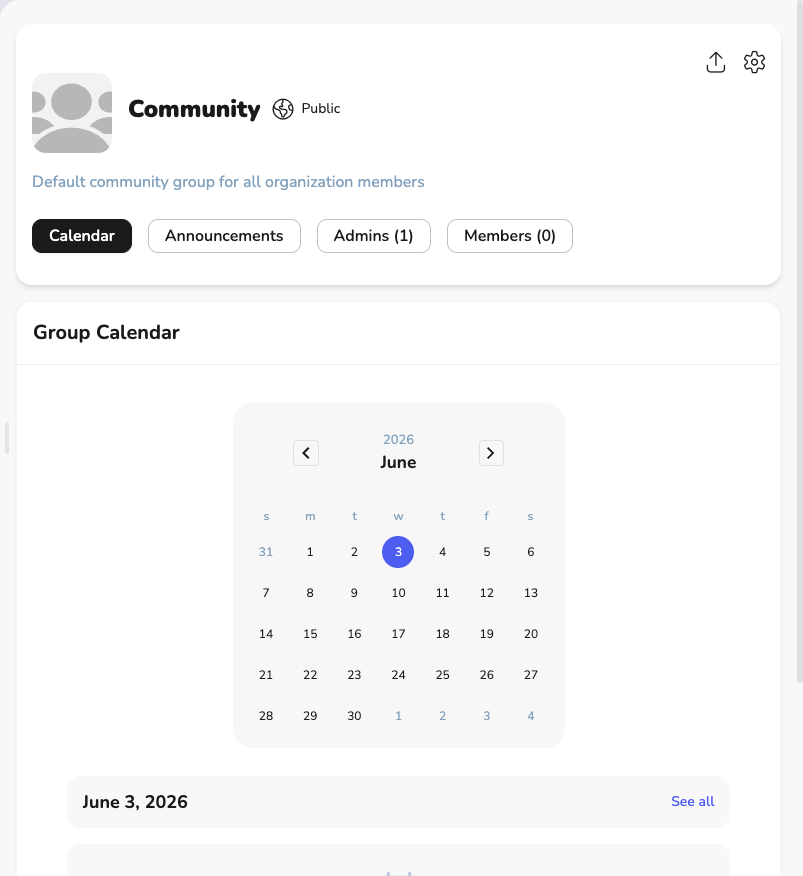
- Click the share button in the top-right corner of the group header. It’s the share icon (an arrow pointing up and out of a box), next to the settings gear.
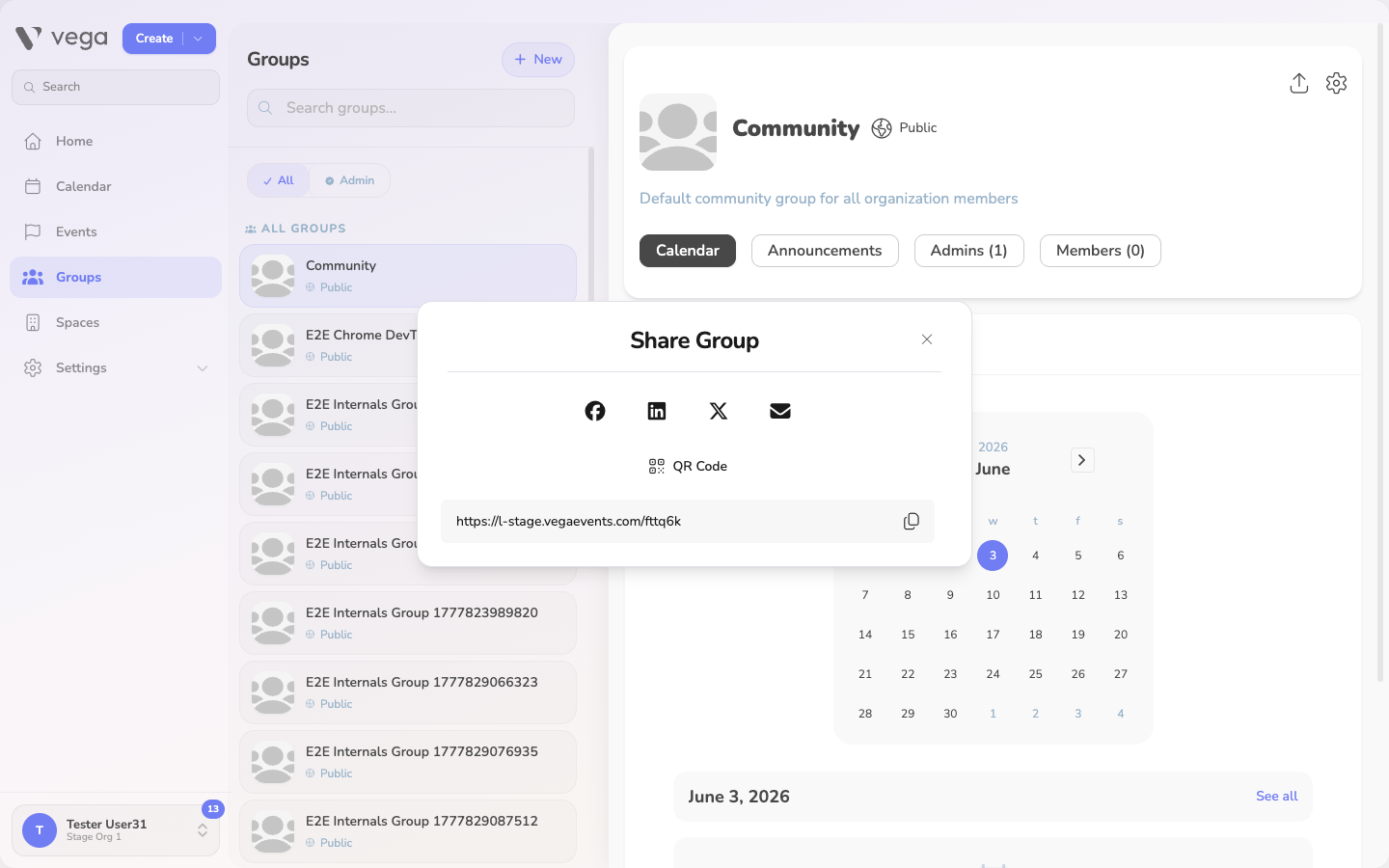
- The Share Group window opens with several ways to share:
- Copy link – copies the group’s share link to your clipboard so you can paste it into a message, email, or chat.
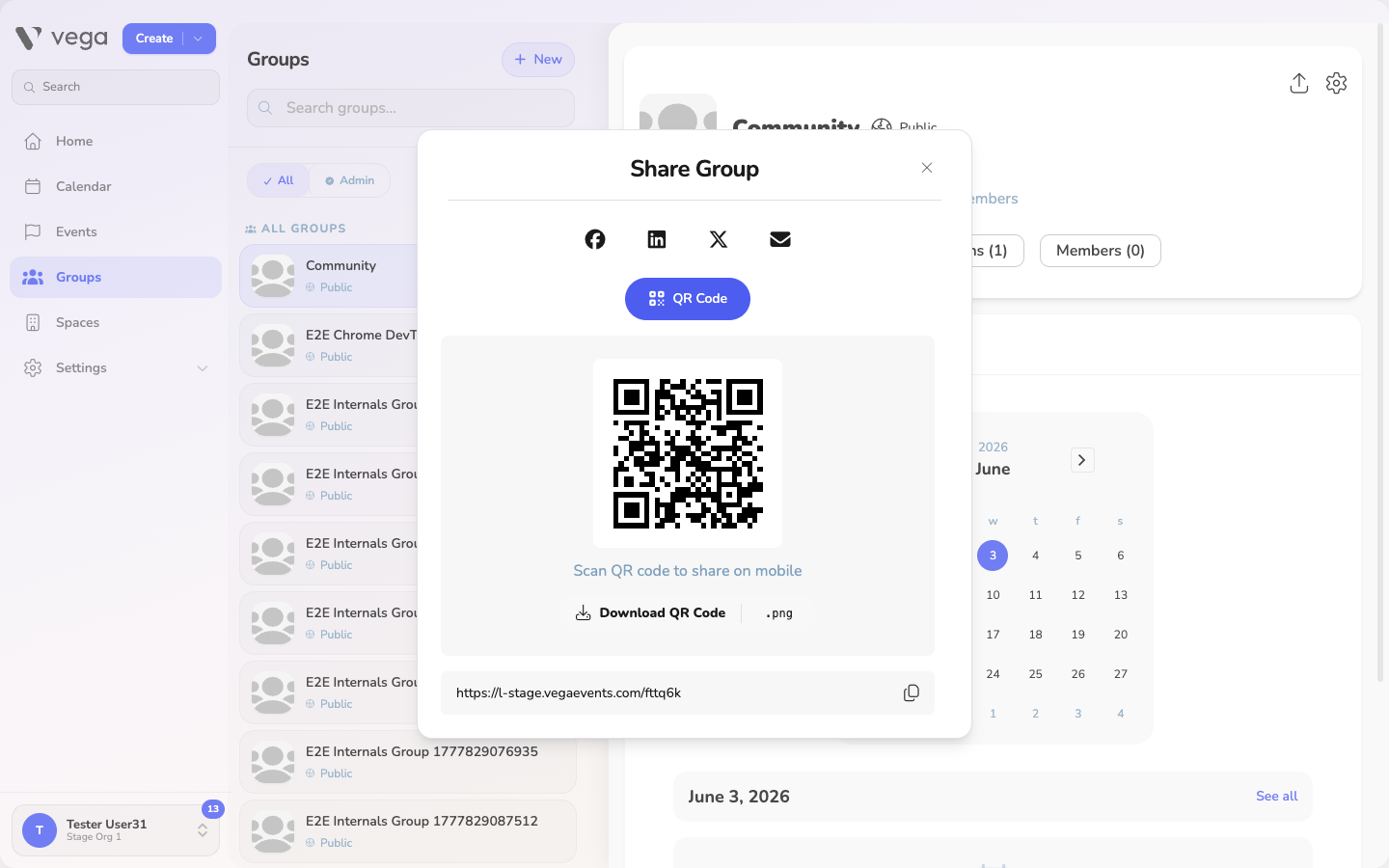
- QR code – displays a scannable QR code you can save or print. Anyone who scans it lands on the group’s join page.
- Social buttons – share the link directly to email or social media.
- Send the link or QR code to the people you want to invite. When they open it, they’ll be able to join the group (or request to join, depending on the group’s membership settings).
💡 Tip
Sharing works for private, invite-only groups too. The share link is how you let specific people in without making the group public—anyone with the link can join even though the group isn’t publicly discoverable.
Share Link vs. Group Visibility
Sharing a link is different from a group’s visibility setting:
- Visibility (public or private) controls whether the group can be discovered by browsing.
- The share link lets you invite people directly, regardless of visibility. Use it to bring people into a private group that won’t show up in public listings.
For how membership approval works once someone uses your link, see Members & Admins.
Tips
- The share link doesn’t expire, so you can reuse the same QR code on printed flyers, slides, or signage.
- Only group admins (and users with Manage Groups permission) see the share button.
- To control who can actually join after using the link, set the group’s membership approval to Approval required in group settings.