Creating Groups
Create Vega groups for teams, clubs, or chapters: segment members, target announcements, and tie events to the right audience.
Groups let you organize your community into sub-communities based on shared interests, geographic regions, chapters, or any other criteria. Group members can receive targeted announcements and access group-specific events.
Creating a Group
- Navigate to Groups in the admin sidebar. You’ll see all existing groups listed.
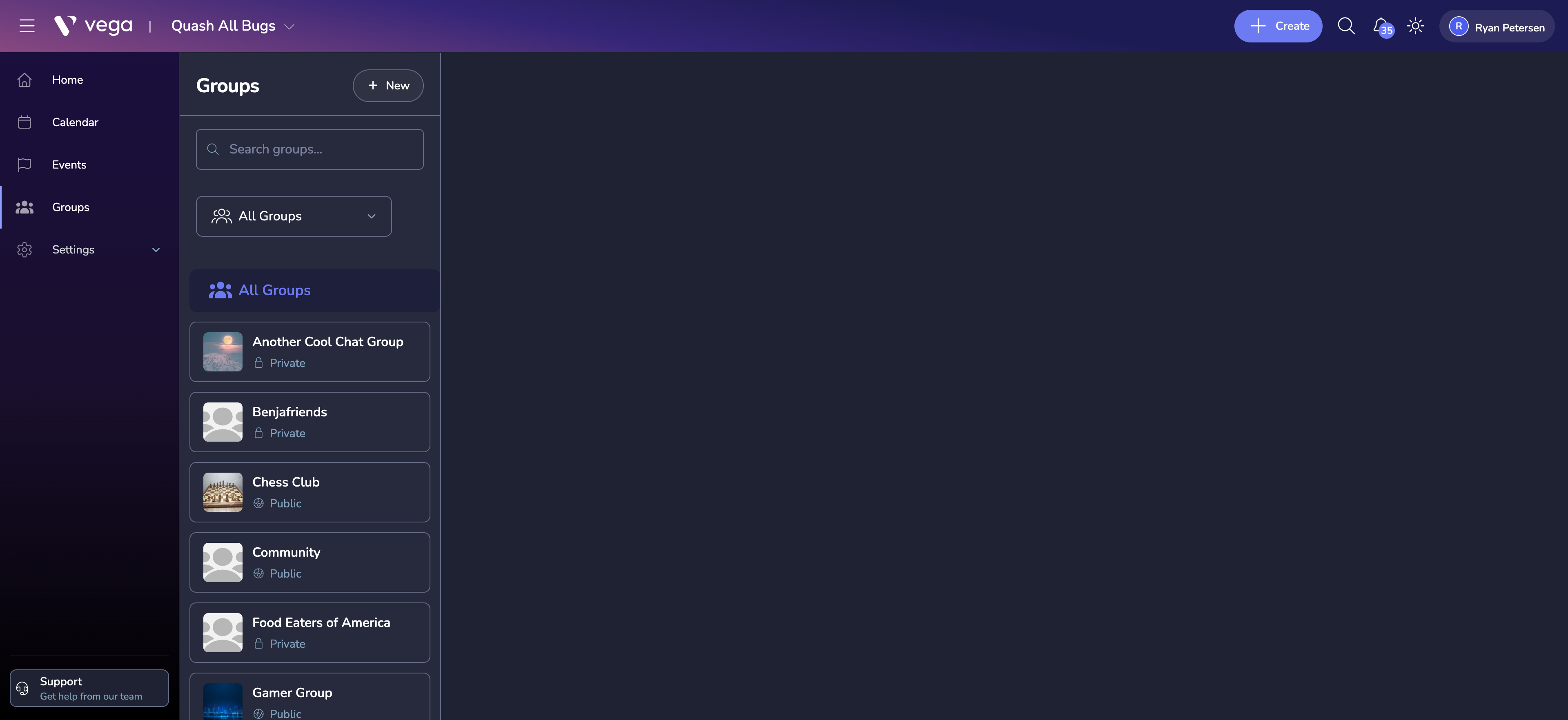
- Click Create Group.
- Fill in the group details:
- Name – a clear, descriptive name (e.g., “NYC Chapter”, “Photography Club”)
- Description – explain the group’s purpose and who should join
- Visibility – public (anyone can discover and join) or private (invite-only)
- Image – upload a cover image or logo for the group
Group Settings
After creating a group, configure additional settings:
Membership Approval
- Open – anyone can join immediately
- Approval required – new members must be approved by a group admin
- Invite only – members can only join via a direct invitation
Group Events
Enable the ability for group admins to create events visible only to group members. These events appear on the group’s dedicated page.
Discussion and Announcements
Toggle whether the group has an announcements feed where admins can post updates to all members.
Managing Multiple Groups
The Groups overview page shows all groups with key metrics:
- Total members
- Active events
- Recent activity
Use groups strategically to segment your audience. This makes communication more targeted and events more relevant to their attendees.
Tips
- Start with a few well-defined groups rather than creating too many upfront.
- Assign dedicated group admins to distribute the management workload.
- Use group membership data to understand which segments of your community are most active.