Event Series
Recurring events in Vega: weekly, monthly, or custom series with shared settings—avoid manually duplicating the same game, rehearsal, or meeting.
Watch this walkthrough
All videos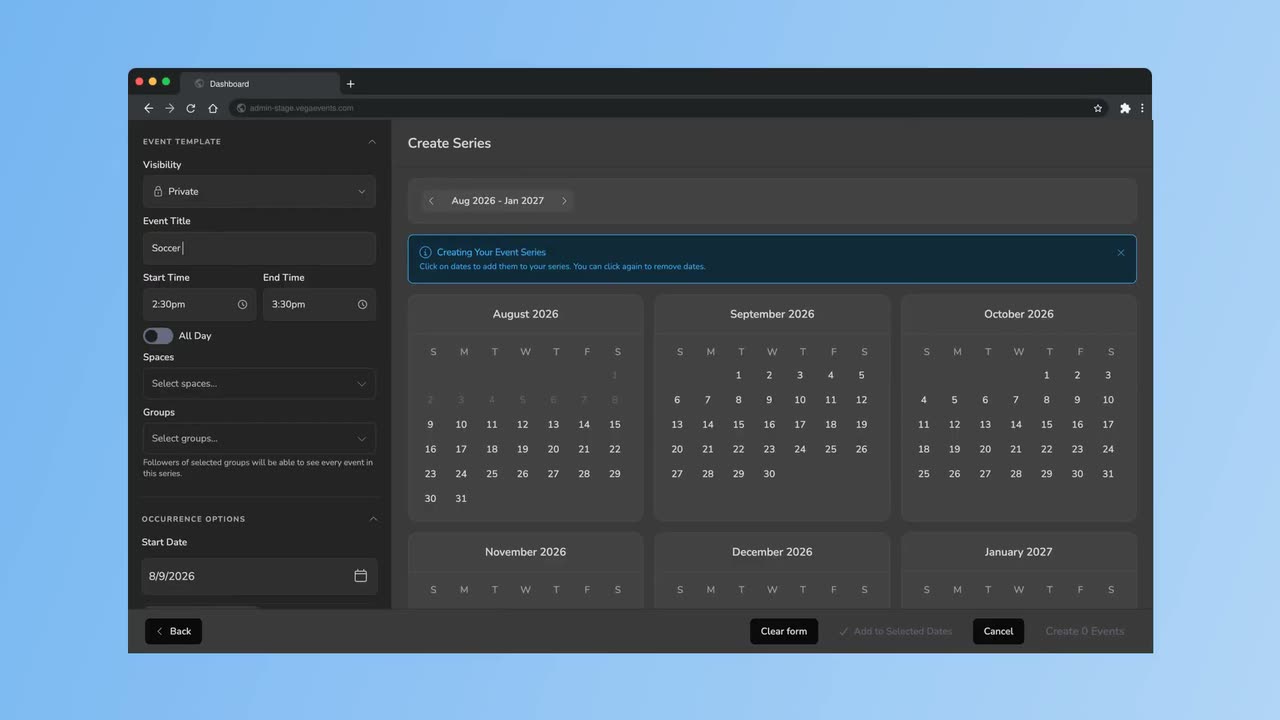
Event Series lets you create a group of recurring events that share common settings, branding, and configuration. Instead of manually duplicating events, you define a pattern and Vega generates each occurrence for you.
When to Use Event Series
- Weekly meetups such as a Monday night trivia or a Saturday morning yoga class
- Monthly gatherings like board meetings or community socials
- Multi-session workshops that span several dates with the same format
Creating a Series
- Navigate to Events in the admin dashboard.
- Click Create Event and select Event Series.
- Configure the base event details (title, description, venue, ticket types).
- Set the recurrence pattern: daily, weekly, biweekly, or monthly.
- Choose an end condition – a specific end date or a fixed number of occurrences.
- Click Create Series to generate all occurrences.
Managing Individual Occurrences
Each occurrence in a series can be edited independently. You can:
- Override the date, time, or venue for a single occurrence
- Cancel one occurrence without affecting the rest of the series
- Adjust ticket availability per occurrence
Tips
- Changes to the series template propagate only to future occurrences that have not been individually edited.
- Attendees can purchase tickets for a single occurrence or, if enabled, a season pass covering the entire series.
- Event Series appear as a grouped listing on your Community Page, making it easy for attendees to see all upcoming dates.