Donations Overview
What Vega Donations does, who it's for, where to find it, and how to run your first campaign: donate pages, gifts at ticket checkout, fundraising pages, receipts and reports.
Donations puts your fundraising in the same place as your events. Your families and fans already come to Vega for tickets, so every game, concert and gala becomes a chance to raise money for what your program needs next.
Donations is turned on for every organization. You’ll find it as Donations in the main menu.
What you can do
- Run campaigns. Each campaign gets its own donate page with a goal, a story, suggested gifts and a live progress bar. See Create a Campaign.
- Ask at ticket checkout. Ticket buyers can add a gift before they pay, on the same order. See Gifts at Ticket Checkout.
- Let your community fundraise for you. Teams, classes and individuals can run their own fundraising pages toward your goal. See Teams and Fundraising Pages.
- Keep every gift in one place. Online gifts, checkout gifts, and the checks and cash you record all land in Gifts. See Gifts, Refunds and Receipts.
- Keep donors coming back. Monthly and yearly giving, pledges, renewals and year-end statements. See Recurring Gifts and Pledges and Reports and Statements.
The Donations menu
| Page | What it’s for |
|---|---|
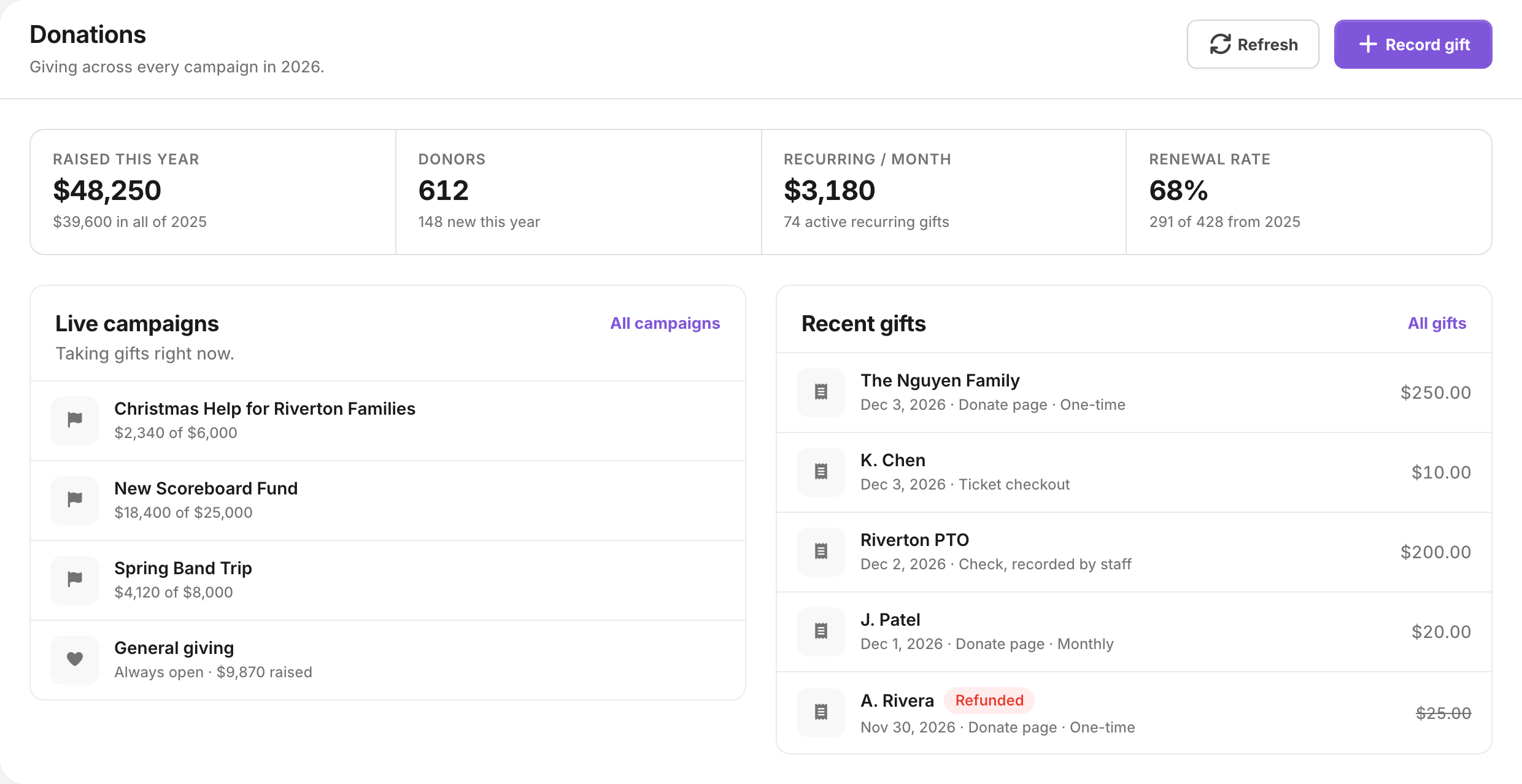
| Overview | Raised this year, donors, recurring giving per month, your renewal rate, and recent gifts. Click any number to see the gifts behind it. |
| Campaigns | Every campaign, with what it has raised. Click New campaign to start one. |
| Gifts | Every gift, recurring gift and pledge, with search and filters. |
| Reports | Renewals, Funds and Statements. |
| Settings | Nonprofit profile, Funds, Recognition and Ticket checkout. |
Team leads who don’t manage donations see only the campaigns they lead.
Before your first gift
Gifts are paid through your connected Stripe account, the same one you use for tickets. If you haven’t connected Stripe yet, see Connecting Stripe. A campaign can’t be published until payments are connected.
Your first campaign in five minutes
- Go to Donations → Campaigns and click New campaign.
- Give it a Name and a Web address, then click Create campaign.
- Add a story and a photo, set a Goal, and check the suggested gifts in Ways to give.
- Click Publish.
- Share the link everywhere your community already is: your community page, your newsletter, your team group chats.
Don’t want Donations?
You can turn Donations off anytime on the Features page, under Settings → Features. Your gift records and receipts are kept, so you can turn it back on later.