Gifts, Refunds and Receipts
Find any gift in Vega Donations, record checks and cash, email a receipt again, refund or reverse a gift, and understand what donors receive after they give.
Every dollar in one list, whether it came through a donate page, a ticket checkout or a check handed to you at the gate. Gifts is where you find it, fix it and thank the person who gave it.
Find a gift
Go to Donations → Gifts. The All tab lists every gift. Search by Donor, email or receipt number, or narrow the list with the filters:
- Campaign. One campaign, or All campaigns.
- Fund. Gifts for one fund, when you use funds.
- Source. Donate page, Ticket checkout or Recorded by staff.
- Status. Confirmed, pending, refunded, partially refunded or reversed.
- Year. The tax year.
Click a gift to open its details: the donor, the amount, the campaign, where it came from and any dedication.
Record a check or cash
Money received outside Vega still counts, and still deserves a receipt.
- Click Record gift, on Overview or Gifts.
- Choose the Donor, the Amount ($) and the Campaign, or General giving.
- Choose the Method: Check, Cash, Bank transfer or Other. A check needs its Check number.
- Optionally check Anonymous, choose a Fund, or add Internal notes.
- Turn on Email a receipt to send the donor their receipt.
Nobody is charged. The gift is marked Recorded by staff, gets a receipt number, and counts toward its campaign like any other gift.
Email a receipt again
Open the gift and click Email receipt. It goes to the donor’s email on file.
Refund or reverse a gift
Open the gift and click Refund. The confirmation shows what goes back to the donor and what fees won’t come back. Then click Refund to confirm. The money goes back to the donor’s card through Stripe.
- A refunded gift stops counting toward the campaign’s goal, the standings and the donor’s total.
- A gift added at ticket checkout is refunded from its ticket order, alongside the tickets.
- A gift you recorded by hand has Reverse instead of Refund, since no card was charged.
What donors receive
- A thank-you page right after they give, with their confirmation number.
- A receipt email with a numbered receipt and a link to View your receipt online. The link works without an account, so guests can view, print or save their receipt too.
- Donors with an account also find every gift under My donations.
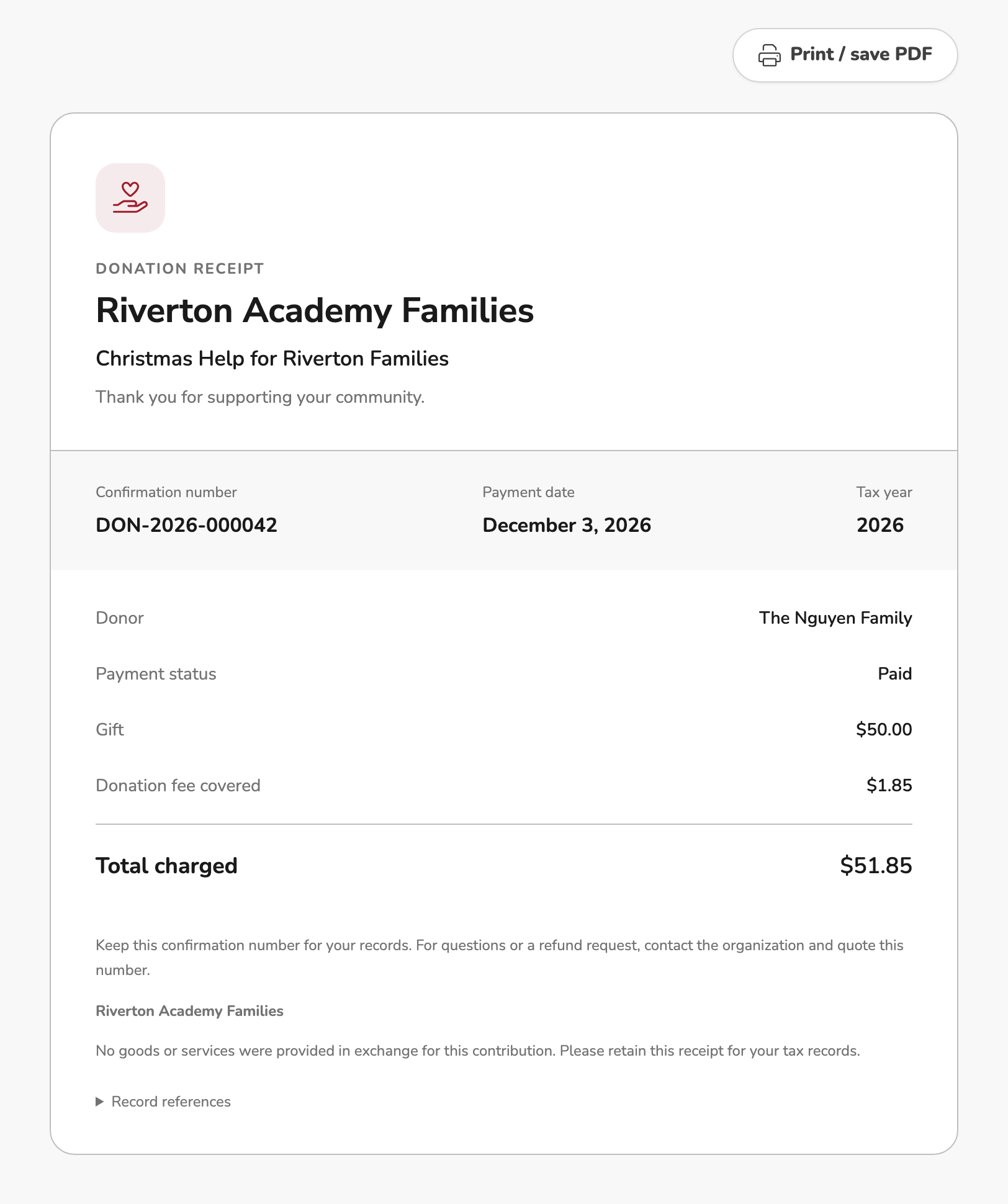
Receipts use the legal name, EIN and receipt text from your Nonprofit profile, or the campaign’s own receipt settings.