Gifts at Ticket Checkout
Offer a gift in Vega's ticket checkout: choose the campaign it supports and the amount buttons, and see how checkout gifts appear on orders, receipts and refunds.
The easiest yes you’ll ever get is the one asked at the moment someone is already showing up for you. With a gift at ticket checkout, buyers can add a donation right beside their tickets: one cart, one payment, no second ask.
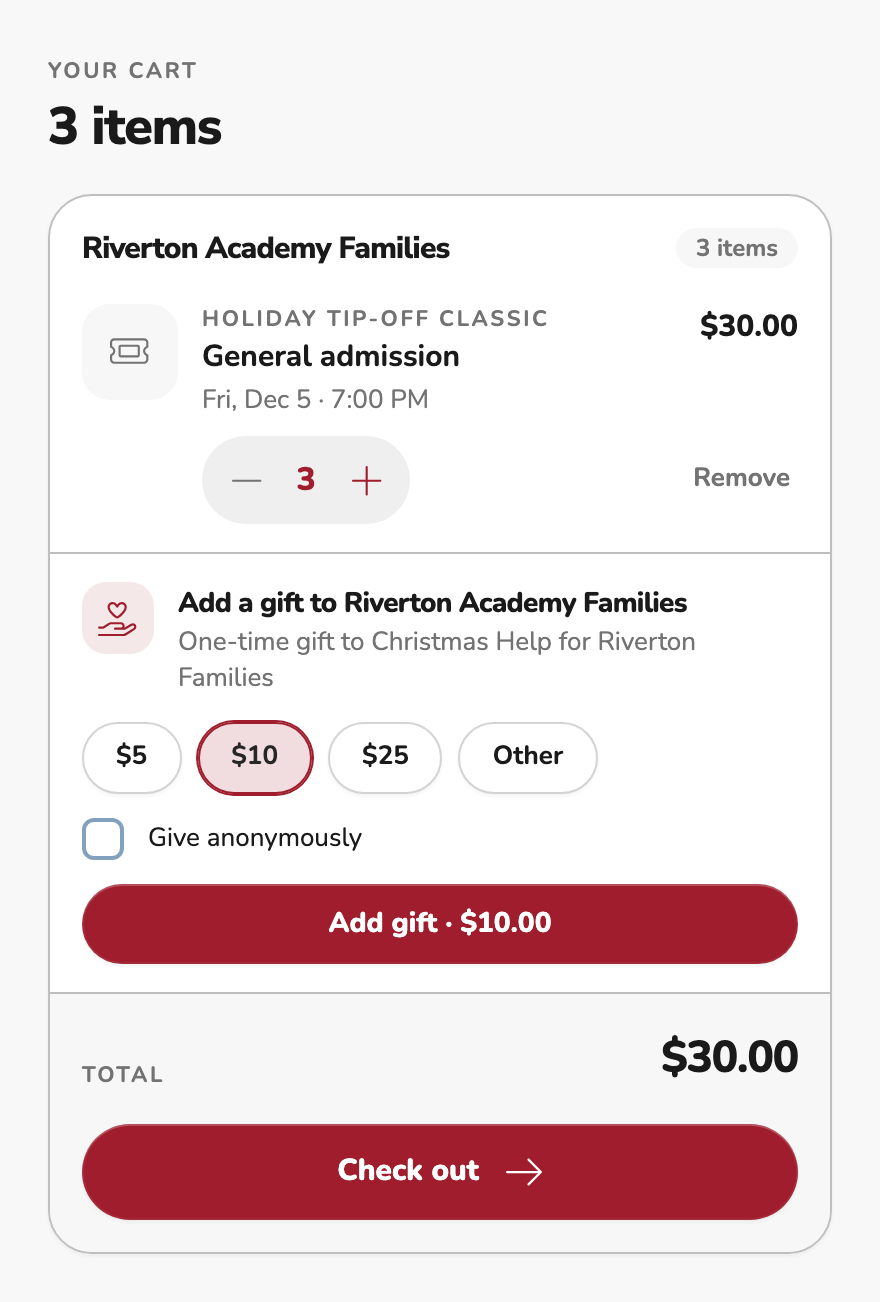
Turn it on
- Go to Donations → Settings and open Ticket checkout.
- Turn on Offer a gift at ticket checkout.
- Choose the Default campaign the gifts support. Pick General giving if they aren’t for a specific campaign.
- Set the Amount buttons buyers can tap.
Changes save automatically. You’ll see Saved at the top of the page.
What buyers see
Before they pay, buyers see an offer to add a gift, with your amount buttons. The gift goes in the same cart as their tickets and passes, so they pay once.
Where checkout gifts show up
- The gift counts toward the campaign’s goal and appears in Donations → Gifts with the source Ticket checkout.
- The gift is on the same order and the same receipt as the tickets.
- To refund a checkout gift, refund it from the ticket order, alongside the tickets.