Billing & Subscription
Vega pricing and plans (trial, Standard, Satellite): view billing, renewals, upgrades, downgrades, and who needs Full access to change subscription.
Vega offers different subscription tiers to match your organization’s needs.
Subscription Tiers
| Tier | Description |
|---|---|
| Free Trial | Full access for a limited time to evaluate Vega |
| Starter | A free plan for getting started, with packages you can add |
| Standard | Core event management and ticketing features |
| Satellite | Premium features for larger organizations |
Managing Your Subscription
- Navigate to Settings > Plan & billing (requires Full access)
- View your current plan, status, and the date it is valid until
- Contact your sales representative (shown on the page) or Vega support to upgrade or change your plan
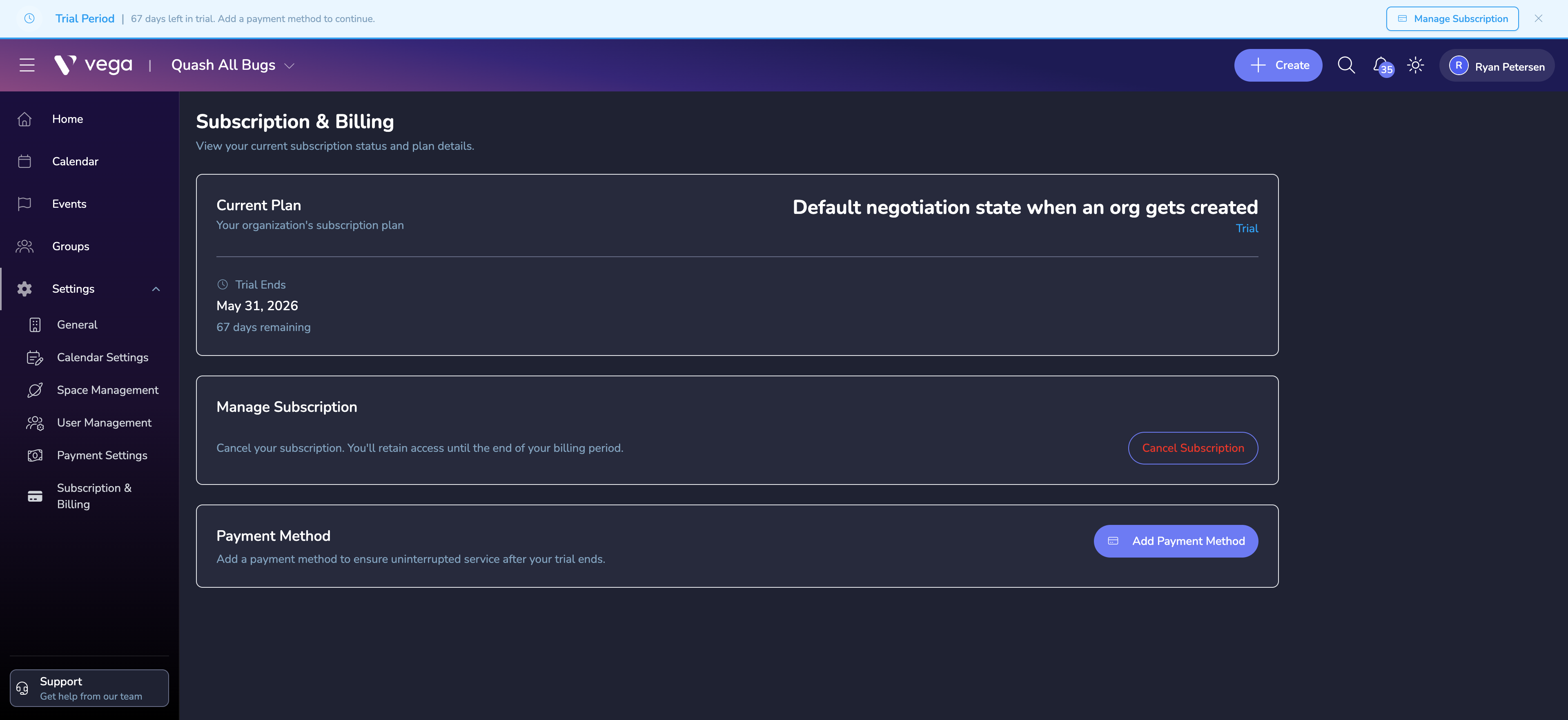
Organizations on the free Starter plan, or set up through guided onboarding, also see a Packages section on this page for choosing a package.
ℹ️ Satellite organizations
If your organization is a Satellite, your parent organization pays for it. Plan & billing shows a short note instead, and billing changes go through your parent organization or the Vega sales team.
⚠️ Subscription Expiration
When your subscription approaches expiration (within 14 days), you’ll see a warning banner in the admin dashboard. If your subscription expires, access to admin features will be restricted until renewed.
Subscription Status
The Status on the page shows one of these:
- Active — Your subscription is current and all features are available
- Expiring Soon: your subscription ends within the next 14 days
- Expires Today: your subscription ends today; access will be restricted afterward
- Expired: your subscription has ended; contact your sales representative to renew
Need to Change Plans?
Contact Support to discuss plan options and upgrades with our team.