User Management
Invite staff to Vega, assign roles, and manage team access in User Management—onboard teammates without sharing one login or password.
Manage your organization’s team from Settings > User Management.
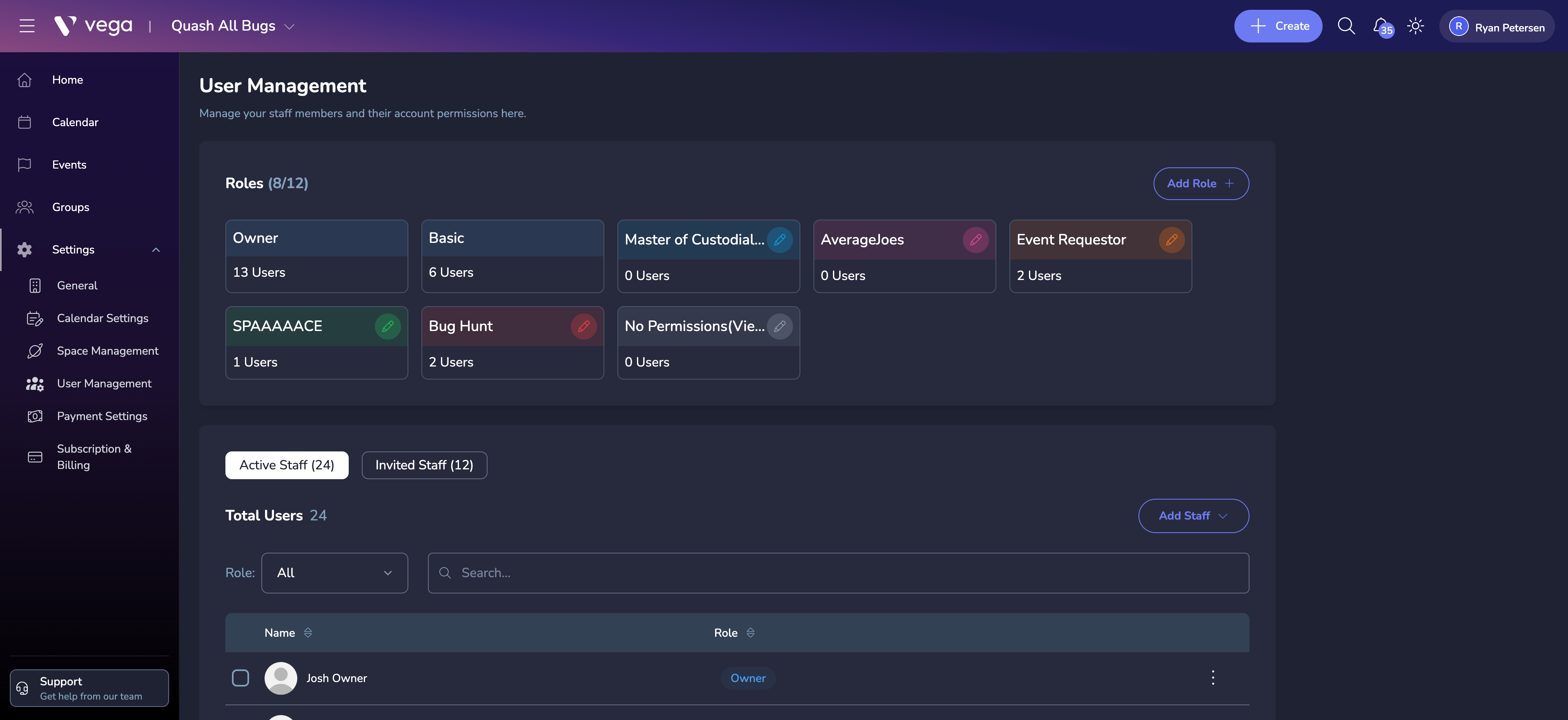
Inviting Staff
- Navigate to Settings > User Management
- Click Add Staff
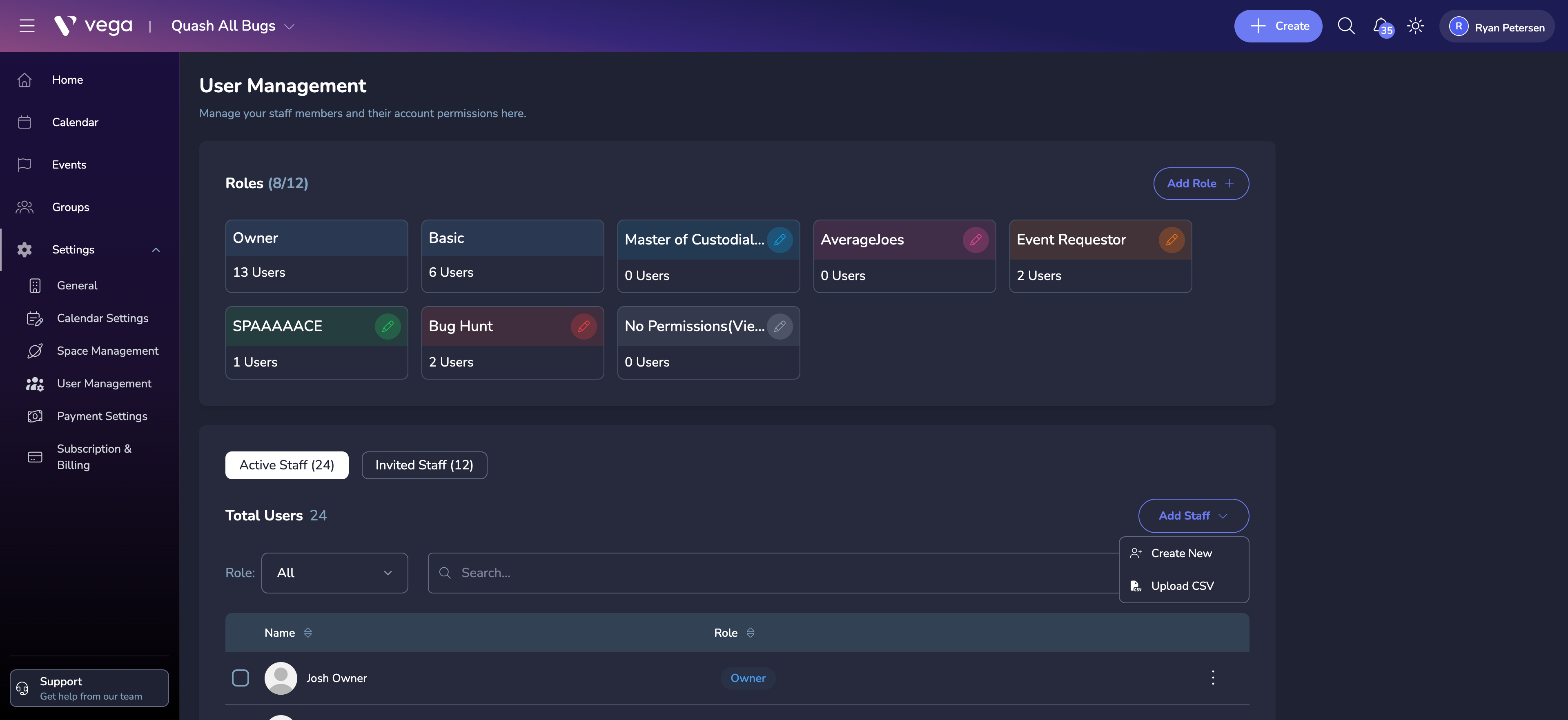
- Select Create New to open the invite form
- Enter the staff member’s name, email, and optionally a phone number
- Select the role to assign
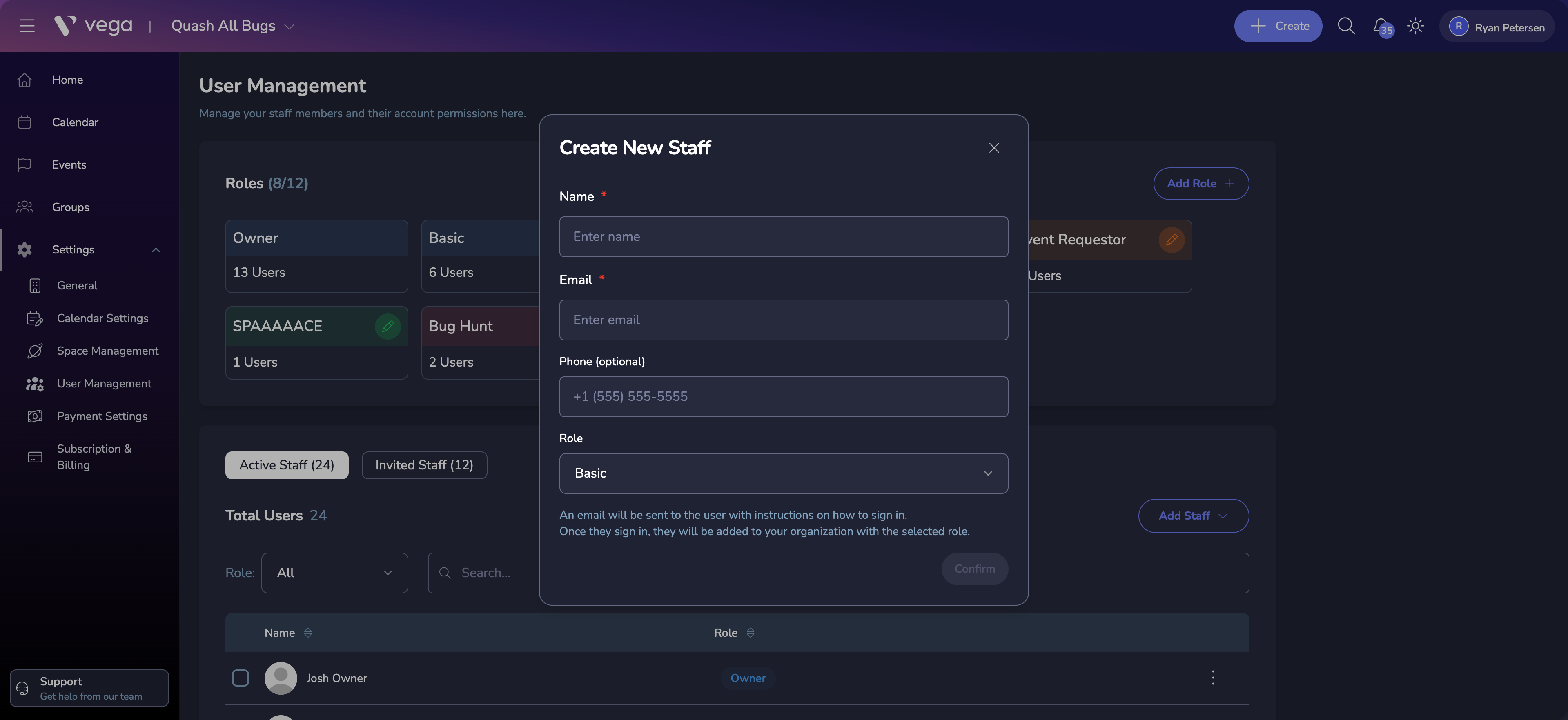
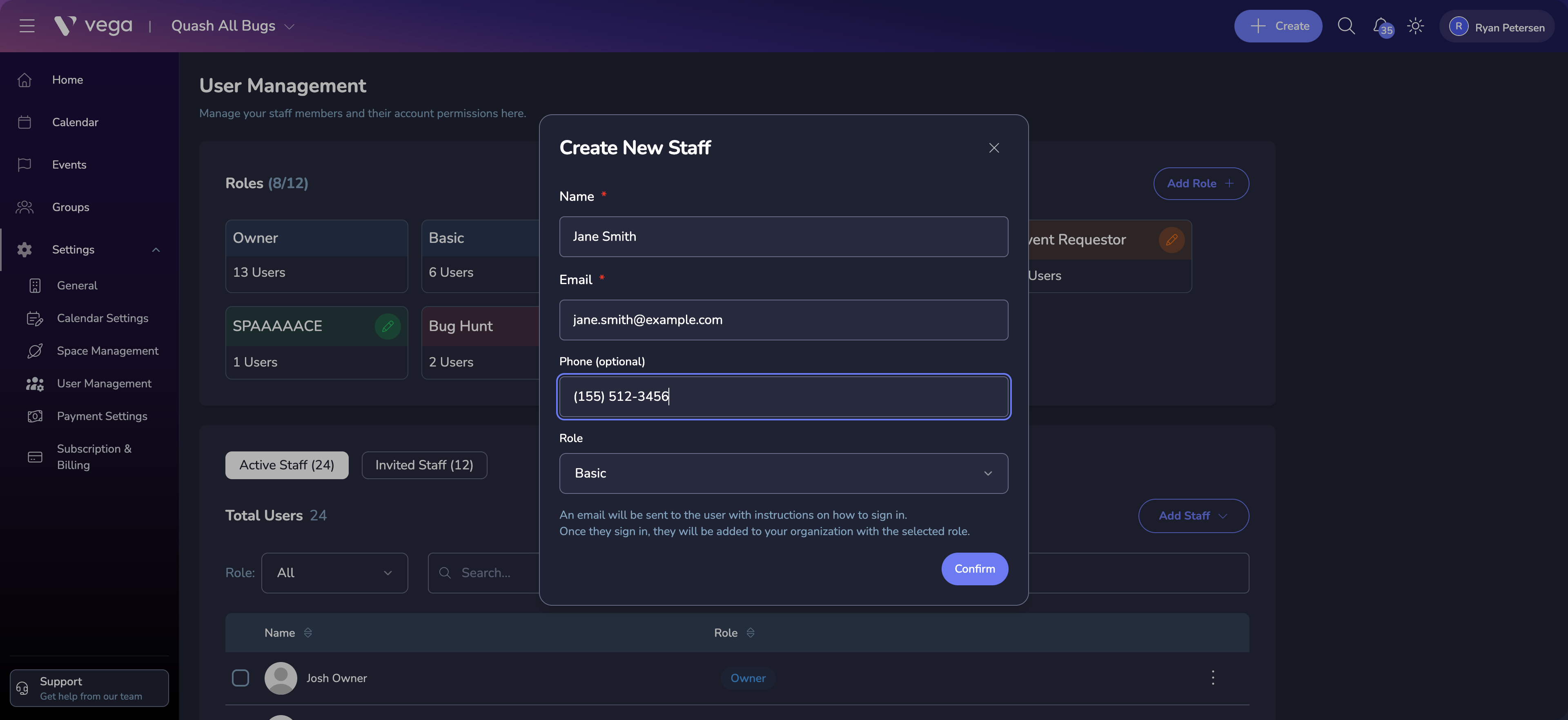
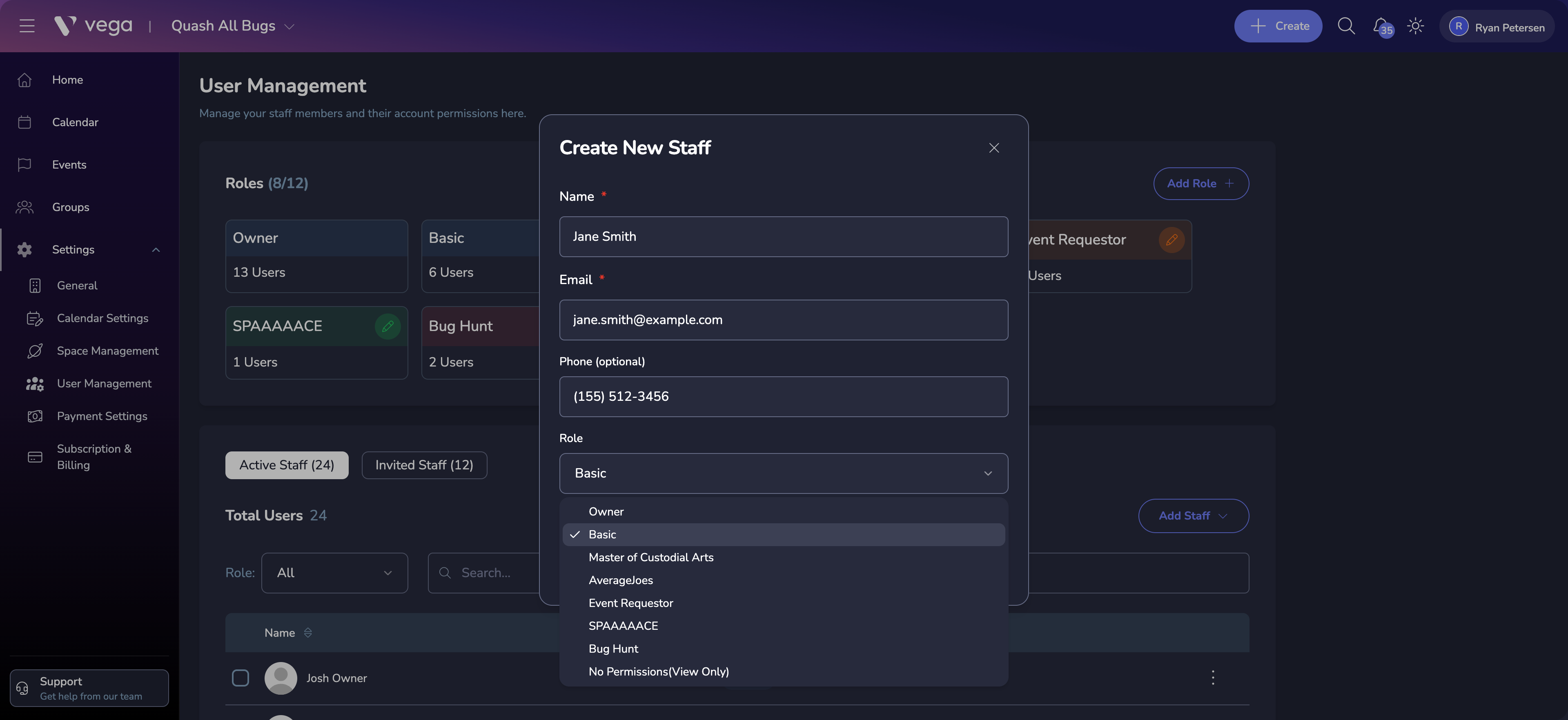
- Click Confirm to send the invitation
Invited members receive an email with a link to join your organization. If they don’t have a Vega account yet, they’ll be prompted to create one.
💡 Permission Required
You need the Manage Staff permission to invite or manage team members.
Managing Existing Members
From the User Management page, you can:
- View all current staff members and their roles
- Change roles — Reassign a member to a different role
- Remove members — Remove someone from the organization
Related
- Roles & Permissions — Create and configure custom roles
- Organization Onboarding — Initial staff setup during onboarding