Launch, Sell, and Scan Tickets in One Fluid Workflow
From bulk comps to Apple Pay, Vega Ticketing connects admin power tools with a guest-ready checkout so every event opens on time.
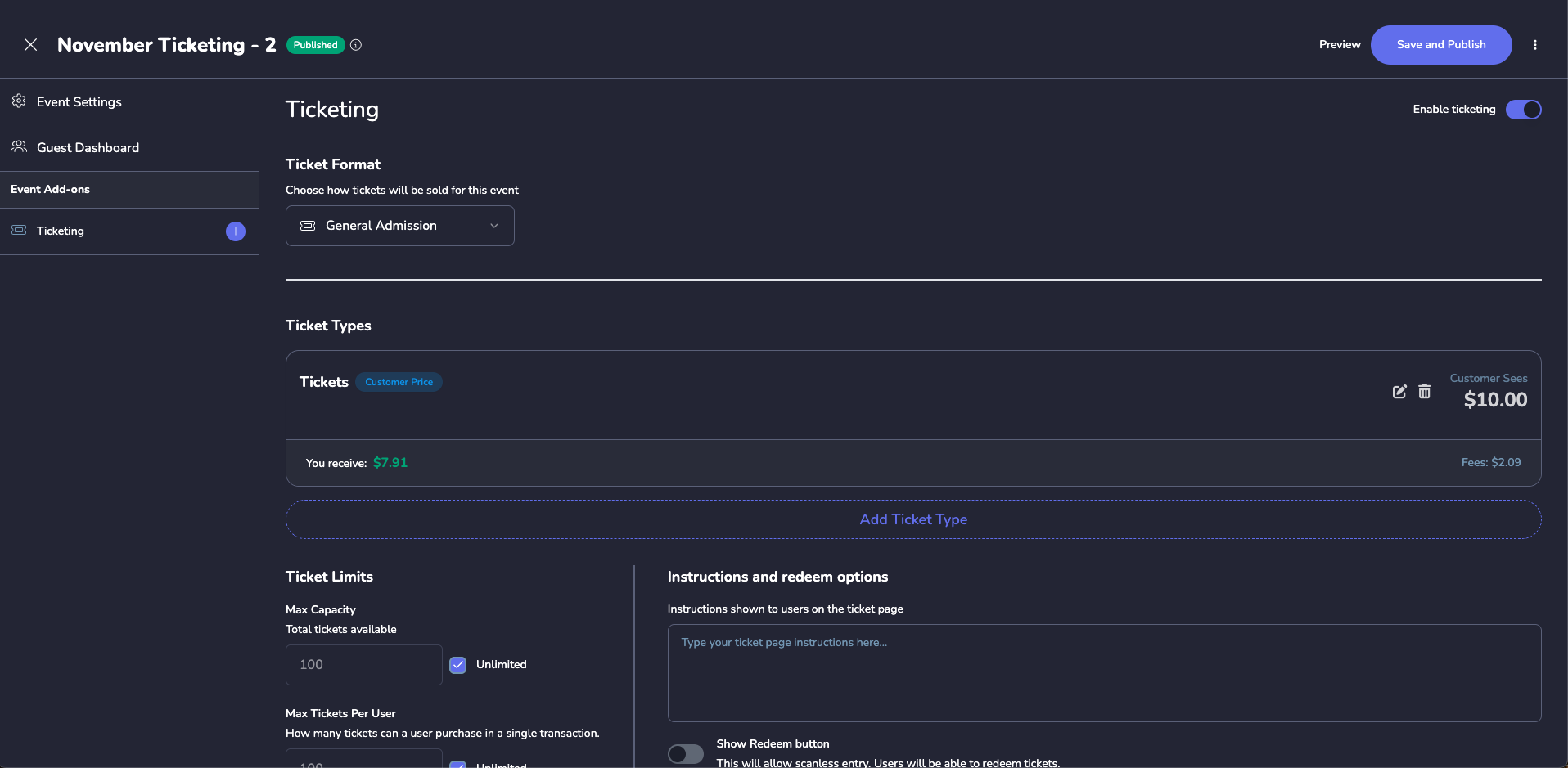
Ticket Types & Pricing
Multiple tiers with custom pricing
Smart Capacity Control
Set limits per ticket type & user
Real-Time Revenue
See net earnings after fees instantly
Ticketing Shouldn’t Be a Patchwork of Spreadsheets
We walked through every comp request, pay link, and gate check-in so you never have to say “let me email you a list” again.
Manual Comp Juggling
Spreadsheets and email chains make it impossible to track who received which tickets.
Missing Gate Support
Volunteers and staff get looped in last minute with no tools to actually check people in.
Slow Refunds & Reporting
Finance teams wait weeks for accurate numbers or to see which tickets were comped.
Checkout Drop-Offs
Guests bounce when the pay link breaks on mobile or wallets aren't supported.
Unverified Guest Lists
No single source of truth for VIPs, sponsors, and staff redemptions.
Paper Tickets & Lines
Printing tickets or forcing will-call slows doors and frustrates fans.
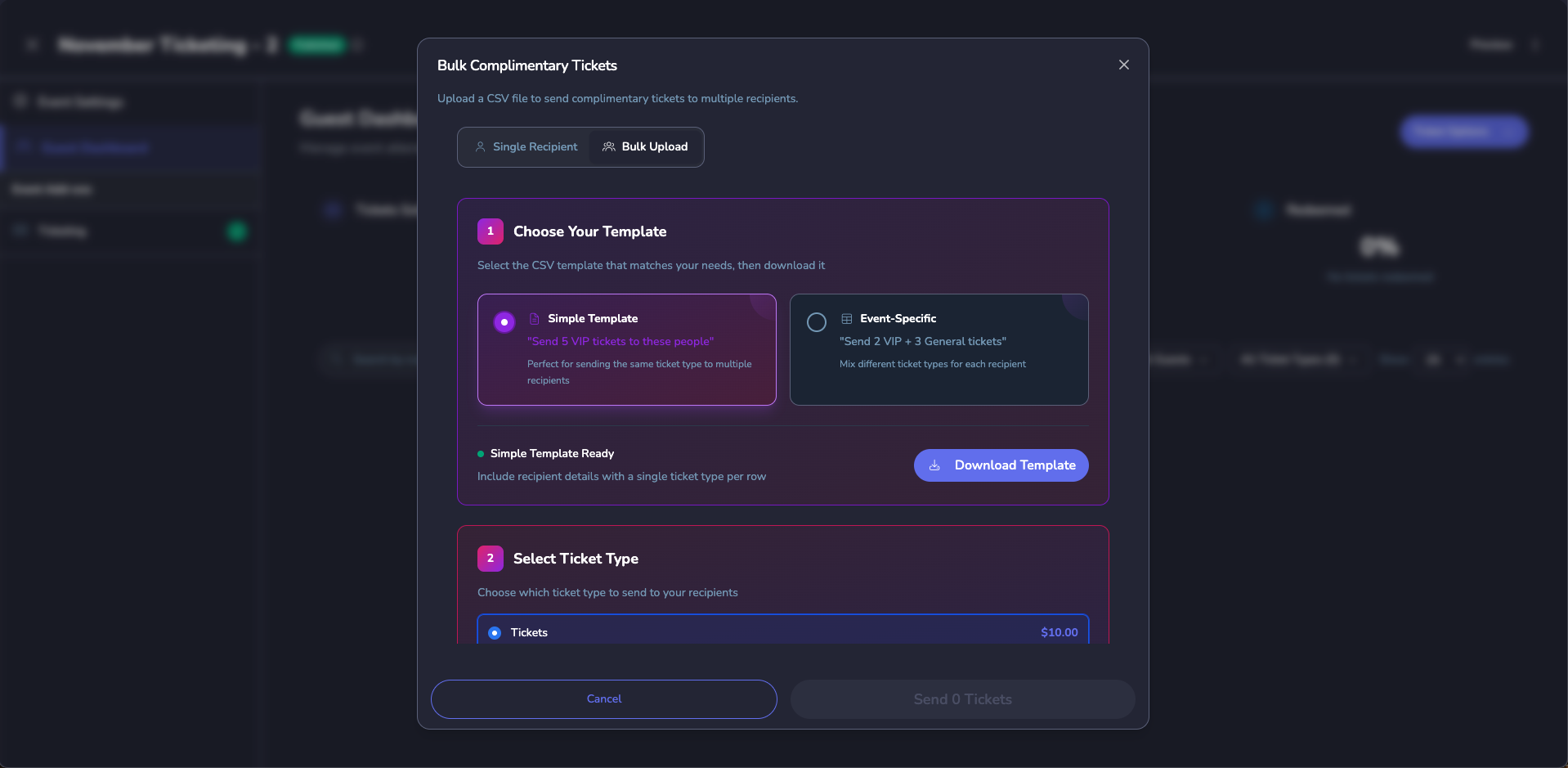
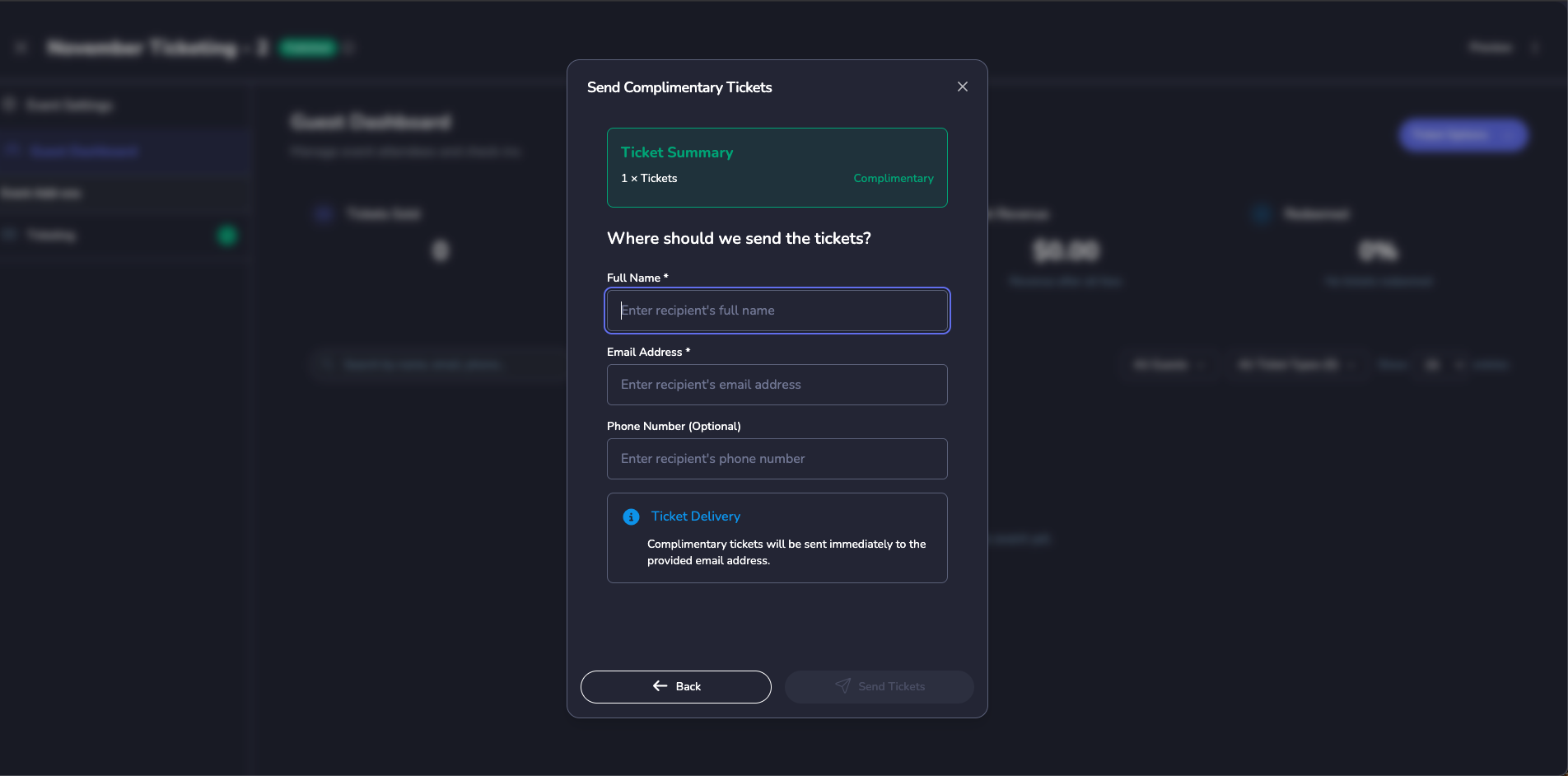
Comp, Transfer, or Invite Entire Groups at Once
Upload sponsor lists, assign volunteer allotments, or move tickets between patrons in seconds. Admins can see exactly who holds each ticket and adjust on the fly.
- Bulk comp tools with usage caps and audit history
- One-click transfers keep guests in the flow when plans change
- Guest list view unifies VIP, sponsor, and staff access in one table
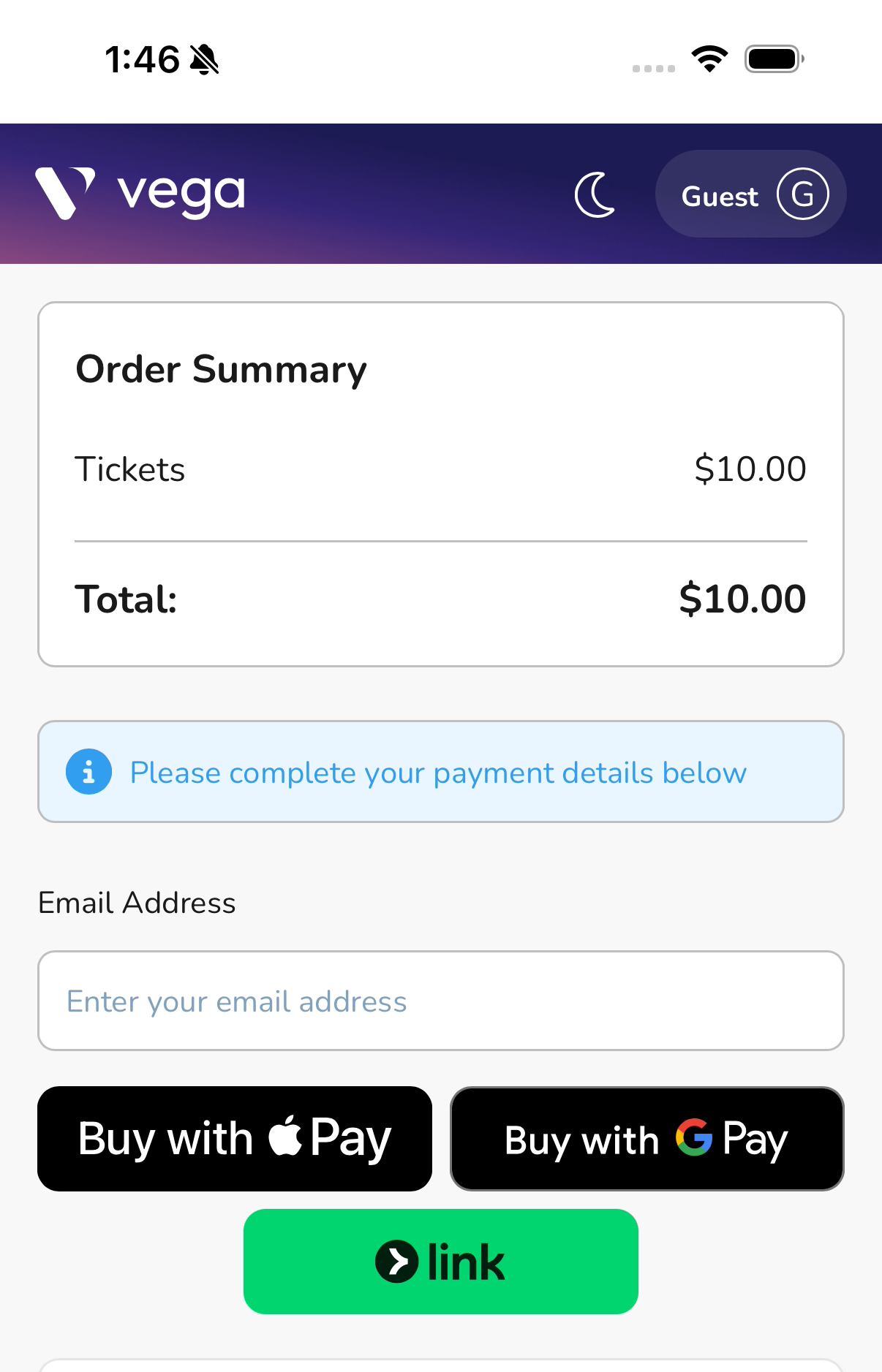
Share a Pay Link, Accept Payments Anywhere
The guest checkout experience is tuned for speed...No login required, optimized for mobile, and ready for the wallets fans already use.
- Accepts Apple Pay, Google Pay, and Link out of the box
- Guest checkout with no login or account creation required
- Access controls synced with admin rules
Scan from Any Phone & Empower Gate Teams Fast
Forget clunky scanners. Vega’s mobile web tools give staff and volunteers everything they need to open doors smoothly.
- Scan QR code tickets from any smartphone or tablet
- Real-time check-in tracking visible to all gate staff
- Works offline with automatic sync when connection returns

Know the Numbers, Issue Refunds in Seconds
Vega Admin pushes every sale, comp, and refund into one ledger. Finance teams get the reporting they need without chasing exports.
- Finance dashboards slice revenue, comps, and fees per event or campaign
- Admin portal refunds issue instantly with audit notes and notifications
- Export-ready reports for reconciliation, boosters, and board reviews
Tickets That Travel Everywhere Your Fans Do
One ticketing engine powers iOS, Android, and the web. Whether fans open a pay link or staff scans a QR code, Vega keeps everything in sync.
iOS Ready
Mobile wallet passes and in-app ticket views keep iPhone users event-ready.
Android Friendly
Share deep links via SMS or email and unlock tickets instantly on any device.
Web Everywhere
Guests can buy, view, and scan from the responsive attendee web app—no download needed.
One Ticketing Flow, Three Connected Steps
Admins configure in Vega Admin, fans buy via the attendee web app, and day-of teams run it from their phones.
Build the Offer in Vega Admin
Configure ticket types, access codes, comp rules, and financial tracking in a single dashboard. Add staff redemption links and volunteer invites before you publish.
Share the Pay Link
Guests use the attendee web app to purchase with Apple Pay, Google Pay, or card. Transfers and guest list updates sync instantly across admin views.
Pro Tip: Drop unique pay links in marketing emails to attribute revenue back to campaigns.
Run the Gate
Volunteers scan from any device, staff redeem their allocations, and finance sees real-time attendance alongside revenue and refunds.
Spreadsheet Ticketing vs. Vega Ticketing
The difference is every touchpoint being connected.
| Workflow | Manual Process | Vega Ticketing |
|---|---|---|
| Issue 50 sponsor comps |
CSV + manual emails |
Bulk comp wizard · tracked |
| Enable Apple/Google Pay |
3rd-party plugins & risk |
Built into Web and Mobile apps |
| Invite volunteers to scan |
Manual instructions & logins |
Secure volunteer invites |
| Process refunds |
Submit ticket to finance |
Instant admin refunds |
| Track revenue vs. comps |
Multiple exports & pivots |
Live finance dashboards |
Everything Connected, Nothing Manual
Unlike spreadsheet-based systems, Vega brings ticket sales, event check-in, facility reservations, and financial reporting together in one platform. Schools can manage every activity in one place without juggling tools or exporting data.
Frequently Asked Questions
How do bulk comps stay organized?
Can guests move tickets between devices?
How quickly can we issue refunds?
Do volunteers need Vega accounts?
Can we see ticket performance across channels?
Ready to Bring Vega to Your School?
Join hundreds of schools using Vega to create better events. Schedule a personalized demo and see how we can help your school community.