New in Vega Labs
Sell the hoodie and the hot dog
Spirit wear, team gear and concessions, sold from the places your families already visit: your community page, every event page and the box office. One catalog, stock for each shop, order-ahead pickup, and the same items at the register.
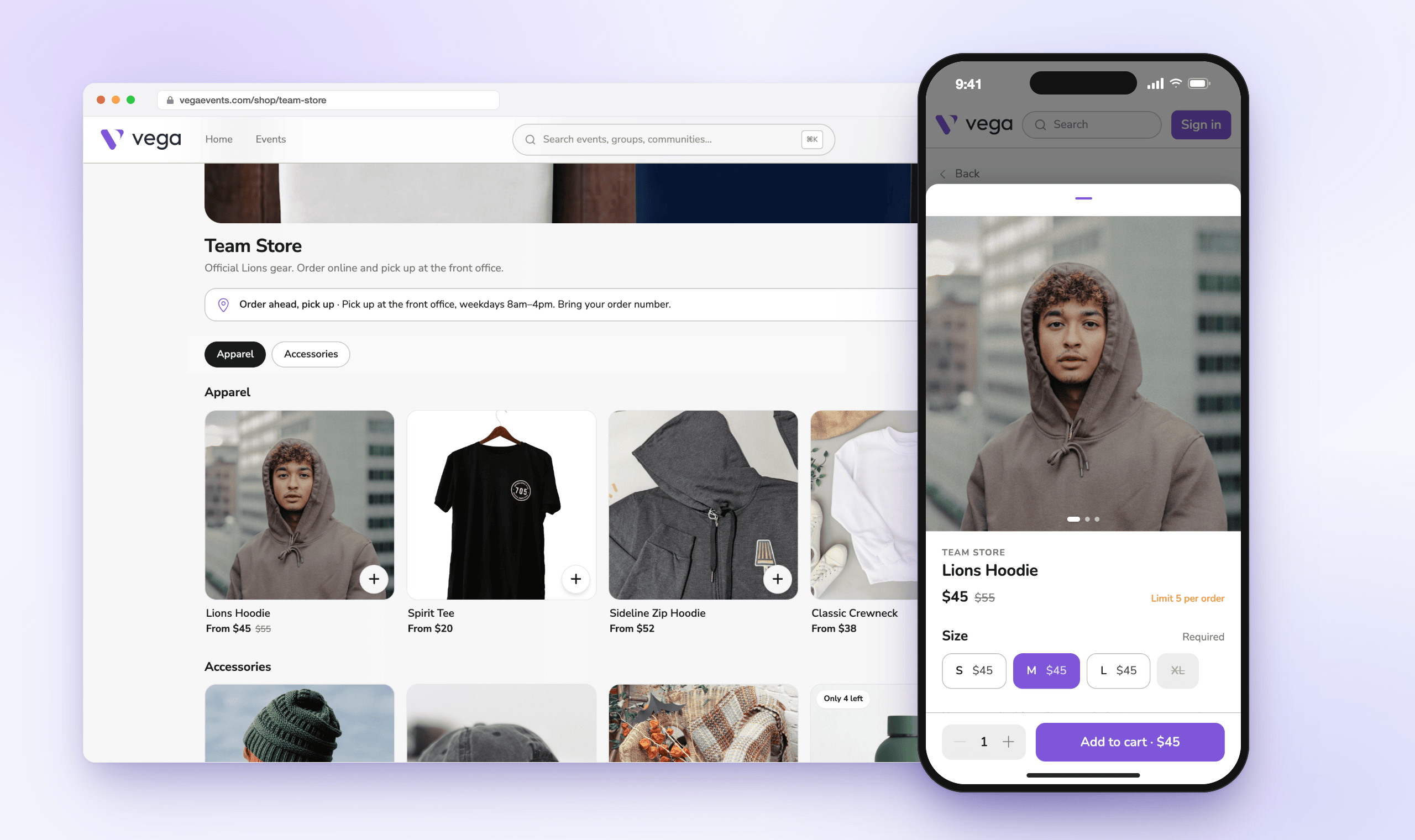
Wherever families look
A Shop tab on your community page, products on event pages, and a products block for your Pages.
Order ahead, skip the line
Apple Pay, Google Pay or card, then a pickup code to show at the counter.
Same items at the register
Sell at the box office or on a card reader, by card, cash or comp.
One catalog, many shops
Define a product once and stock it in the school store and the concession stand.
Built for game night
The school store, the booster club table and the concession stand each run their own way. Shop gives every one of them a storefront, a register and a sales report, without another login or another spreadsheet.
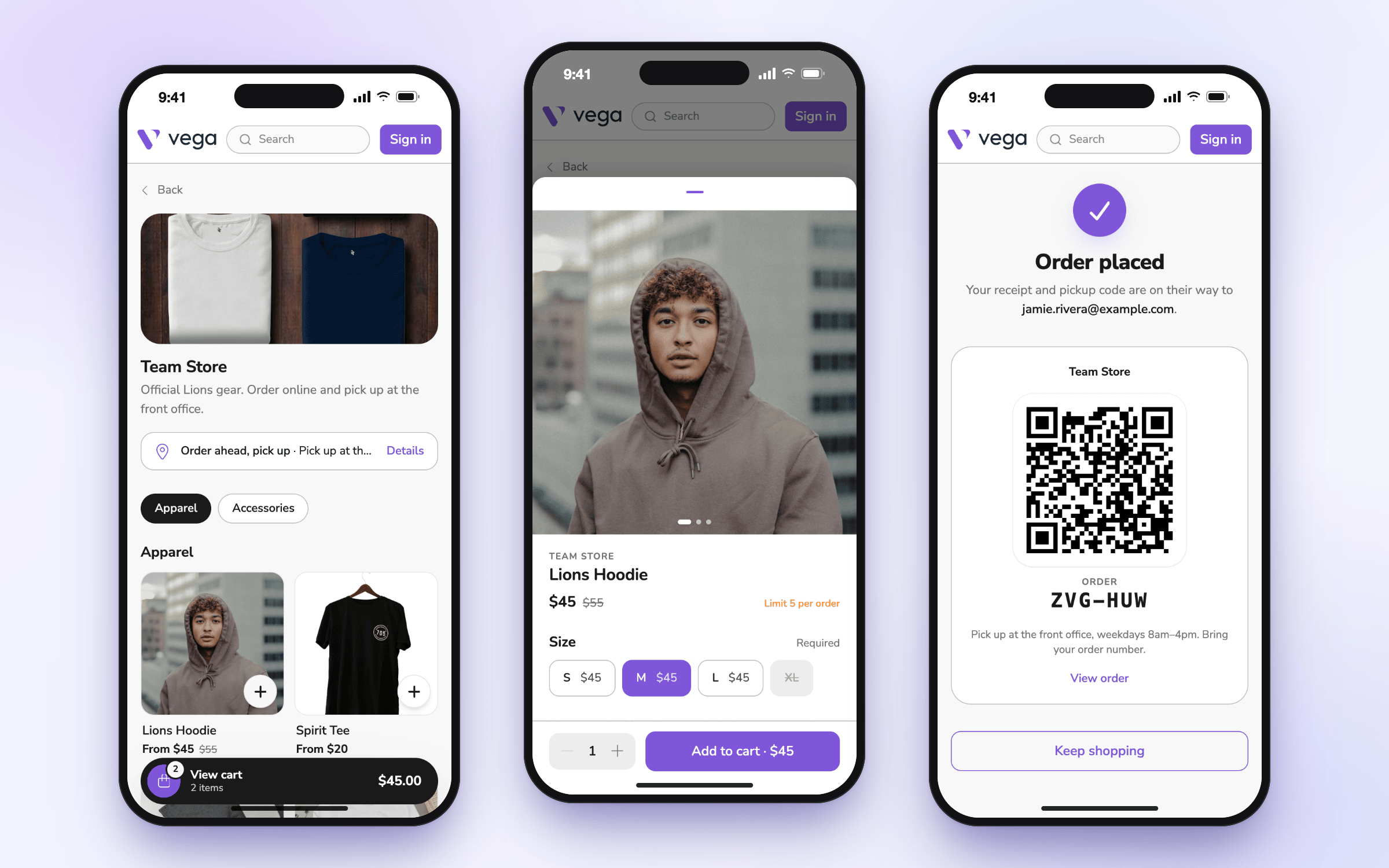
Shopping that takes seconds on a phone
Families browse by category, pick a size, add the extra cheese, and check out in one page, in the same cart as their tickets and passes. Simple items go in the cart with a single tap. Sold-out sizes are greyed out before anyone gets their hopes up, and buyers pay the price you set, with nothing added at checkout.
- Sizes and add-ons with the price updating as they choose
- Apple Pay and Google Pay on top of card checkout, no account required
- One cart across your shops so the hoodie and the stadium blanket are one payment
Right next to the tickets
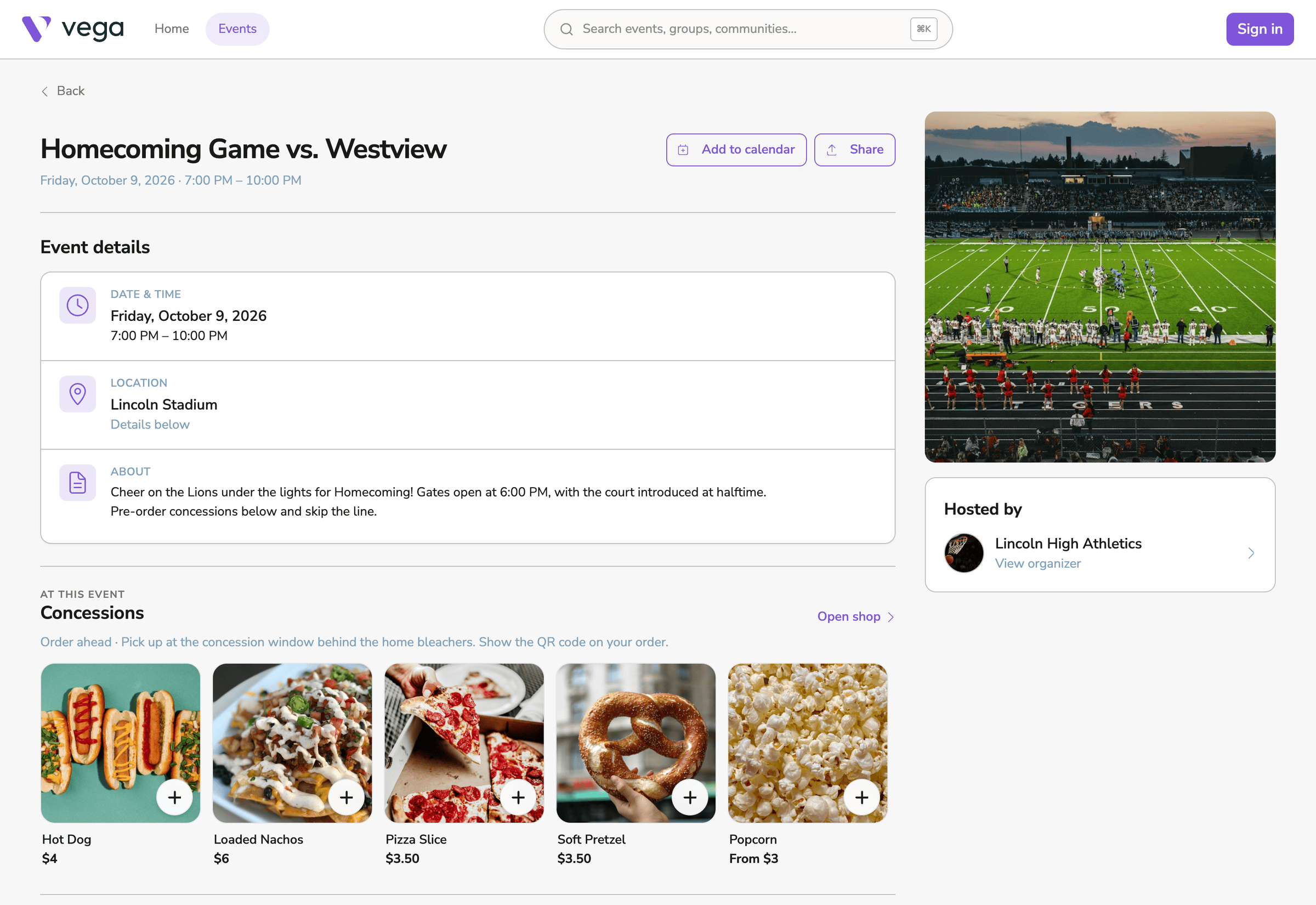
Decide where each shop shows up. The school store lives on your community page. Basketball concessions appear on every basketball game. A pop-up shop appears on one tournament and nowhere else.
- A Shop tab on your community page for year-round stores
- An “At this event” row on event pages for a group’s games or a single event
- A products block you can drop into any page you build in Vega
Order ahead, pick up fast
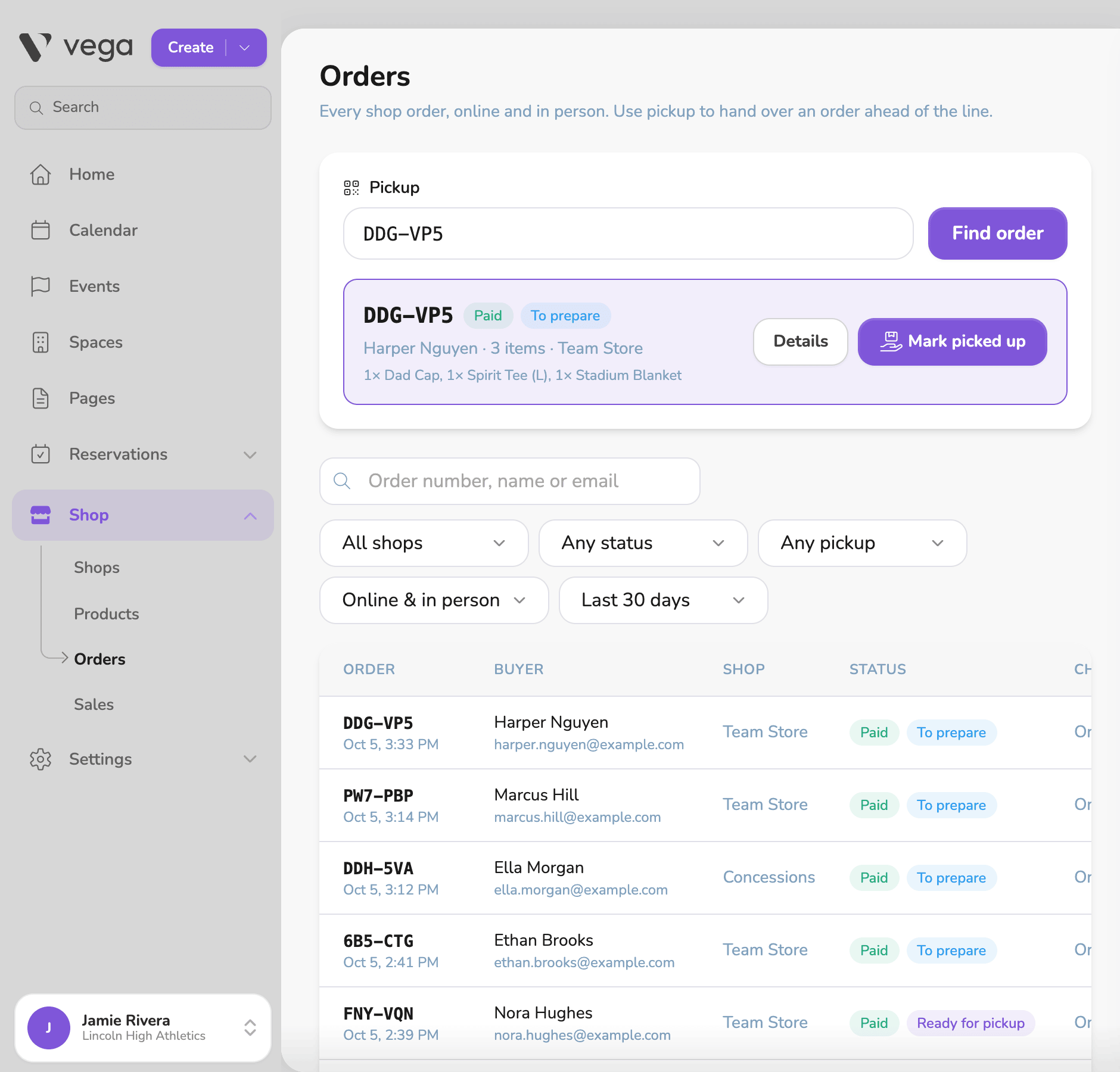
Every online order comes with a pickup code. Staff scan it or type the order number, see exactly what to hand over, and mark it picked up. Mark an order ready and the buyer gets an email.
- Pickup lookup by scan or order number, with one tap to hand it over
- Ready-for-pickup emails with your pickup instructions
- Refunds that restock so the shelf count stays right
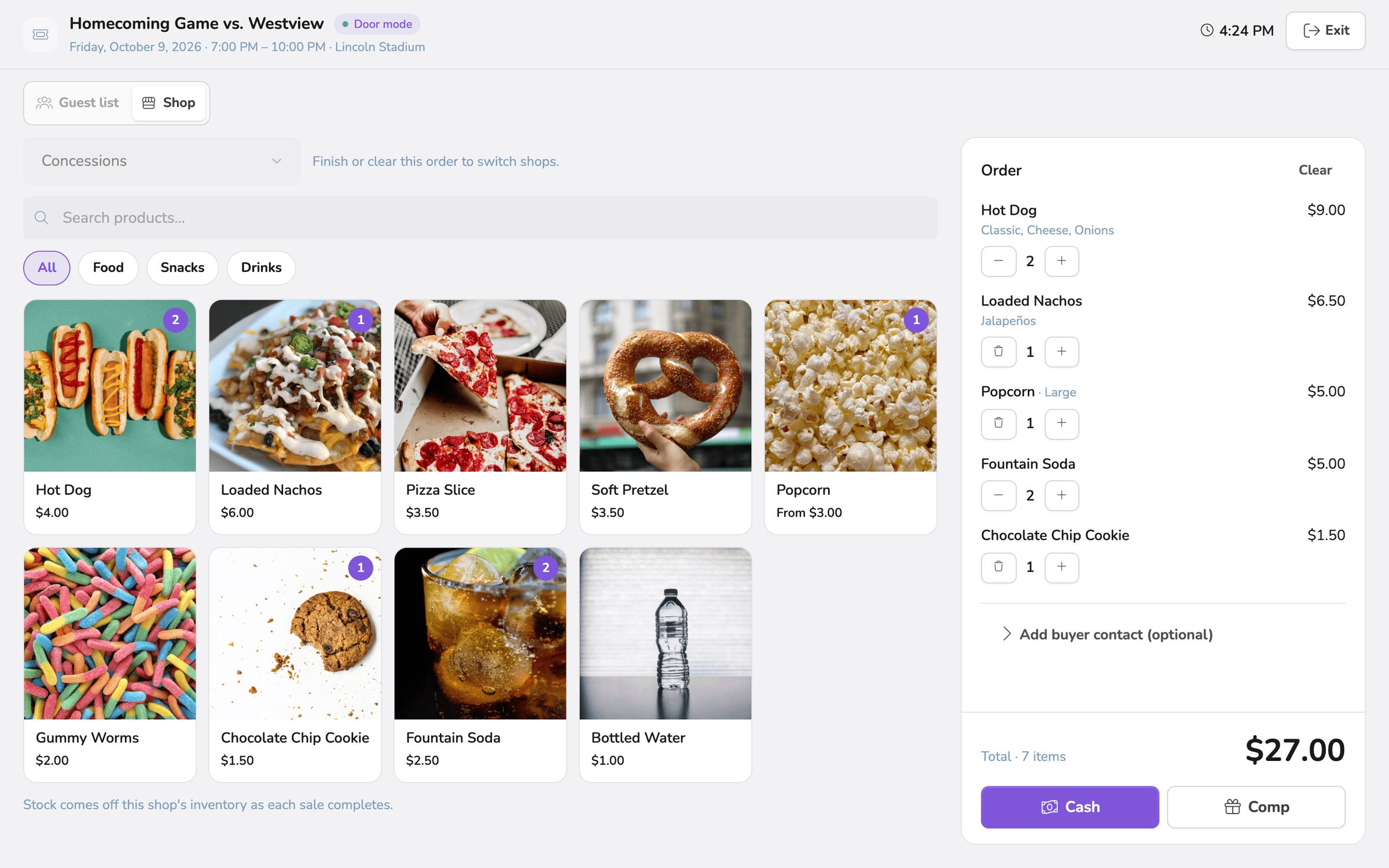
The same items, sold in person
Ring up products right where you already sell tickets at the door: on a laptop with a card reader, on a Vega card terminal, or in the Vega app on a phone. Take card, cash or a comp. Every in-person sale draws from the same stock as online orders.
- Card, cash or comp with change due worked out for you
- Big, quick buttons built for a line of hungry fans
- Emailed receipts when the buyer wants one
One catalog, stock for every shop
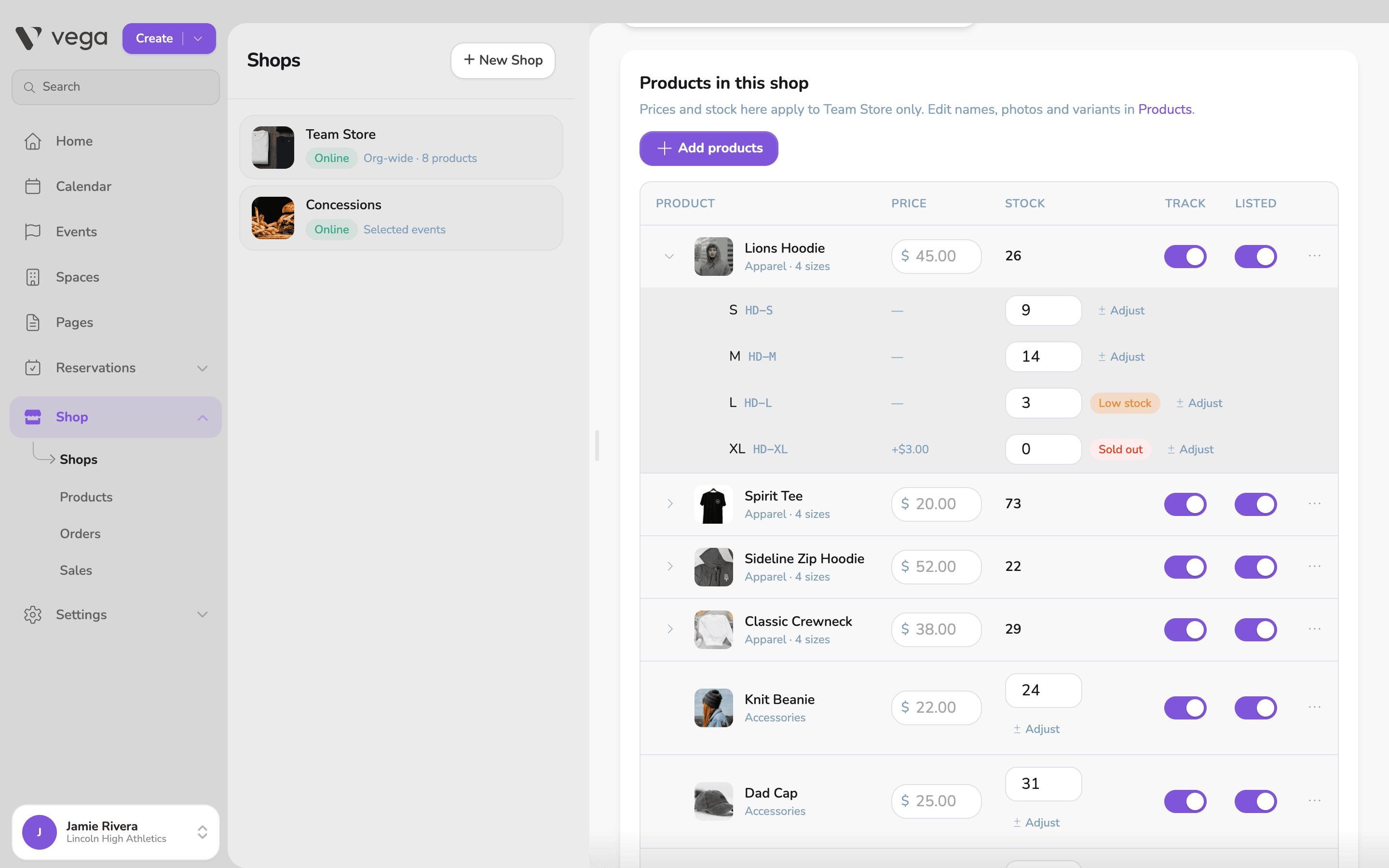
Add a product once, with photos, sizes and add-ons. Then choose which shops carry it, set a different price where you need one, and track stock per shop and per size. When something comes back, refund it and the items go back on the shelf.
- Stock per size so you know you are out of mediums, not just “hoodies”
- Low-stock and sold-out flags before the buyer finds out
- Untracked items for things you can always make more of
Know what sold
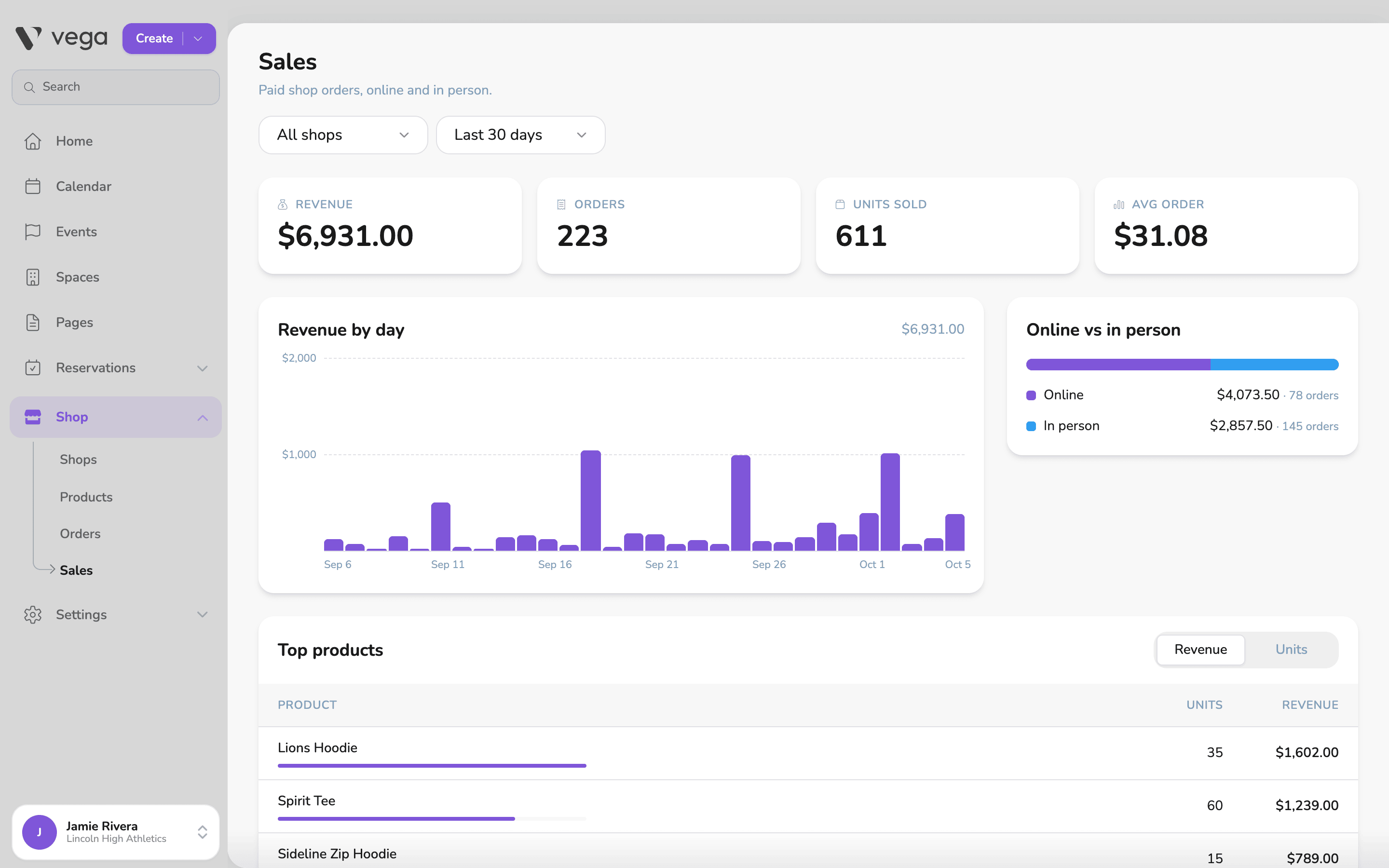
See revenue, orders and units for any shop and date range, which days were busy, which products earned their spot, and how much came in online versus at the register.
- Revenue by day for any shop or all of them
- Top products by revenue or units
- Online and in person side by side
Try it early
Shop is in Vega Labs, where new tools are open to schools that want them first. Turn it on from Settings → Features in Vega, or ask us and we will set up your first shop with you.
Online and card sales need a connected Stripe account, the same one you use for tickets.
Step-by-step guides for setting up a shop, selling, pickup and refunds are in the Help Center.
Open your school store.
See Shop in a quick demo, or explore everything else we have built for schools.