Create Dozens of Events in Minutes, Not Hours
Plan your entire season, semester, or campaign with our Series Creator. Click. Select. Done.
Tired of Creating the Same Event Over and Over?
We've all been there. Let's put an end to the scheduling madness.
Hours of Manual Entry
Creating 20+ similar events manually takes hours of tedious work
Copy-Paste Errors
Duplicating events leads to mistakes in dates, times, or locations
No Big Picture View
Hard to visualize an entire season when creating events one by one
Late Conflict Discovery
Scheduling conflicts aren't caught until after events are created
Impossible Bulk Edits
Need to change 20 event times? Better grab some coffee...
Wasted Time
Time spent on repetitive data entry could be used for actual planning
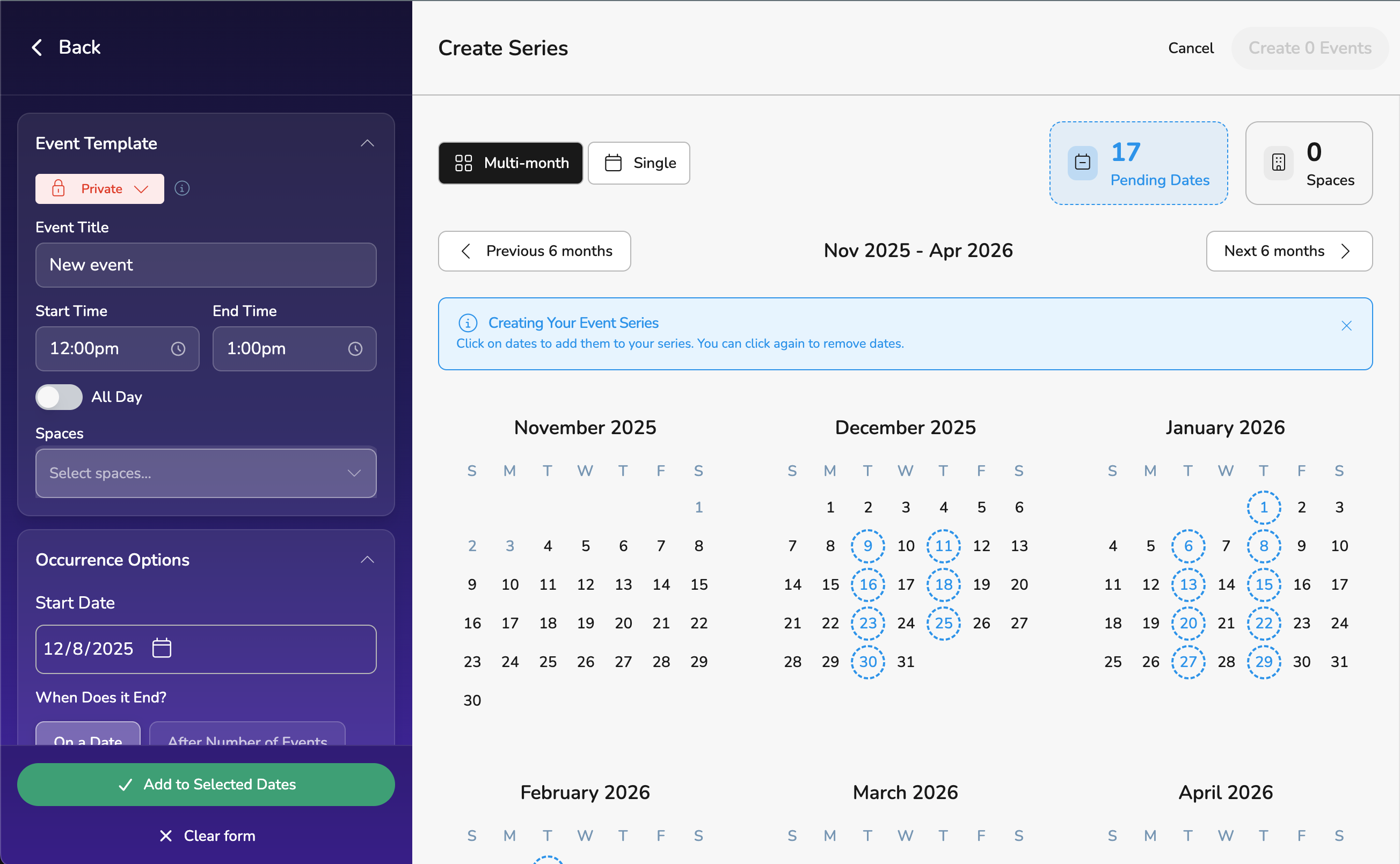
See Your Entire Season at a Glance
Toggle between single and multi-month views to plan up to 6 months ahead. Visualize your entire season, spot patterns, and make smarter scheduling decisions.
- Switch between 1-month and 6-month view instantly
- Navigate months with intuitive prev/next controls
- Color-coded dates show selections and conflicts
Pick Your Dates with a Click
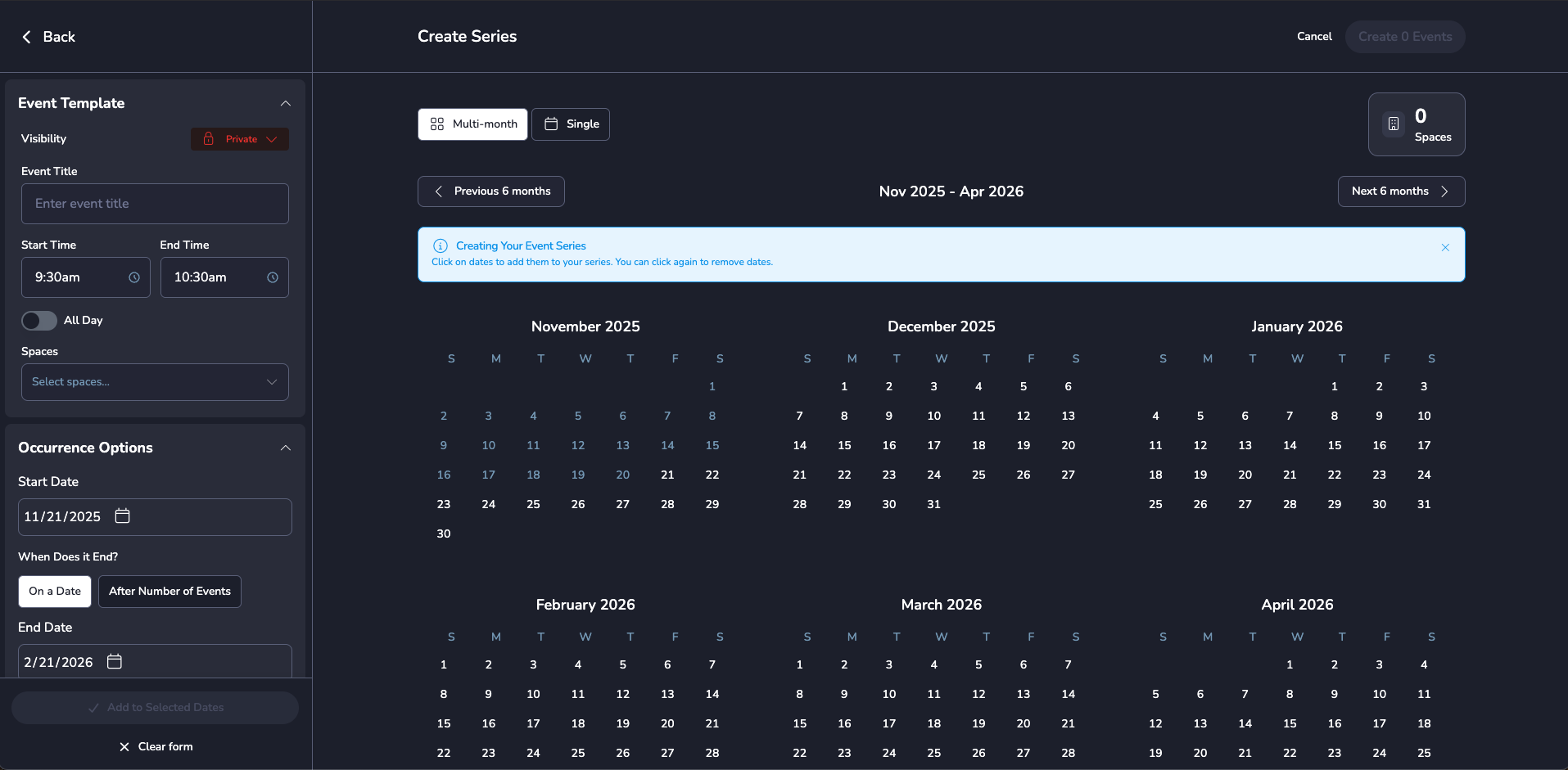
No more typing dates one by one. Just click the days you want—add or remove with a single tap. It's that simple.
- Click once to add, click again to remove
- See your selections highlighted in real-time
- Live counter shows how many events you're creating
Every Monday? Every Other Week? We've Got You
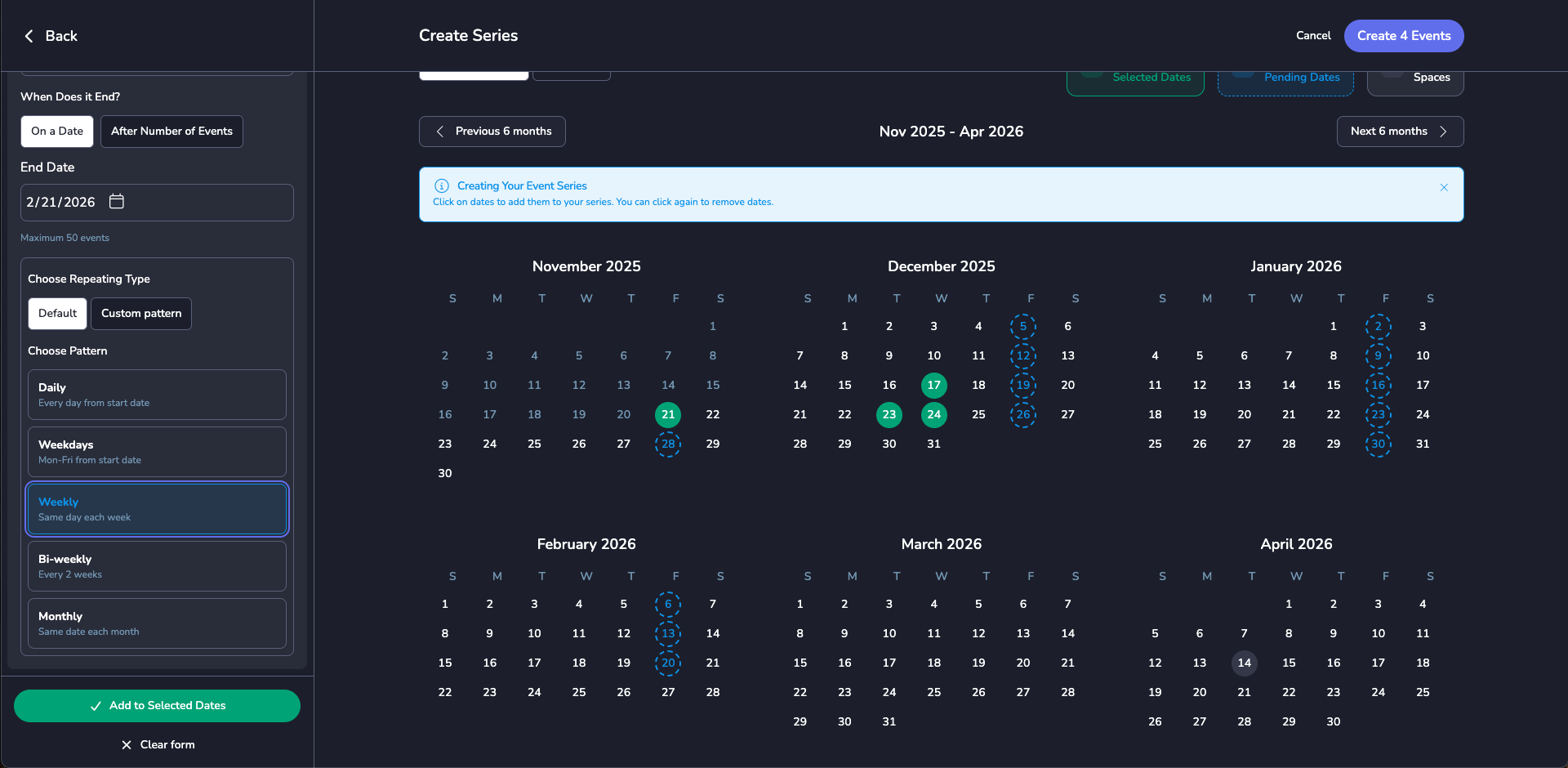
Create recurring patterns in seconds. Daily practice? Weekly games? Monthly meetings? Set your pattern once, and watch the calendar fill up automatically.
- Daily, weekly, or custom recurring patterns
- Preview pattern before applying to calendar
- End by date or after X occurrences


See Conflicts as You Plan
Conflicts are highlighted in orange as you select dates. You can see exactly which dates have space conflicts, but still proceed and resolve them later—your choice, your control.
- Real-time conflict detection as you plan
- Orange indicators show conflicted dates
- Continue and resolve conflicts outside series creation
Set Once, Apply to All
Configure your event title, start time, end time, location, and visibility settings once. Every event in your series automatically gets the same details—consistent, accurate, and fast.
- Single template applied to all events
- Guaranteed consistency across all events
- Support for all-day events


Create Up to 50 Events at Once
Whether it's a 20-game sports season, 30-day workshop series, or weekly recurring meetings, handle massive event creation in a single workflow.
- 50 event limit ensures system performance
- Perfect for seasons, semesters, and campaigns
- Saves hours of manual event creation
Perfect For...
Whatever your event scheduling needs, Series Creator has you covered.
Sports Seasons
Schedule an entire basketball, football, or volleyball season in under 5 minutes. Home games, away games, practices—all in one go.
Weekly Classes
Set up an entire semester of recurring classes instantly. Every Monday at 3pm? Done. Tuesday/Thursday rotation? Easy.
Fundraising Campaigns
Plan multiple fundraising events across months. Bake sales, car washes, auctions—organize your entire campaign at once.
Performing Arts
Schedule rehearsals, performances, and tech weeks for your theater, band, or choir. See everything at a glance.
Corporate Training
Roll out multi-week training programs effortlessly. Onboarding sessions, workshops, team building—all planned in minutes.
Community Events
City parks and rec programs, farmers markets, community meetings—schedule recurring civic events with ease.
Three Steps to Series Success
It really is this simple.
Configure Your Template
Set your event name, start time, end time, location, and visibility once. This template will be applied to every event you create in the series—ensuring perfect consistency.
Select Your Dates
Choose your method: click individual dates on the calendar, or use recurring patterns (daily, weekly, custom). Toggle multi-month view to see your entire season and make smart decisions.
💡 Pro Tip: Use patterns for quick selection, then manually adjust specific dates.
Create & Done
Review any space conflicts (highlighted in orange), then click "Create Series." All your events are created instantly. Conflicts can be resolved afterward—you're in control.
The Old Way vs. The Vega Way
See the difference for yourself
| Task | Manual Entry | Series Creator |
|---|---|---|
| Create 20 events |
2+ hours |
5 minutes |
| Find conflicts |
After creation (too late!) |
Real-time as you plan |
| Make bulk changes |
Edit 20 times individually |
Edit template once |
| Visualize season |
Impossible |
Multi-month view |
| Error risk |
High |
Minimal |
Average Time Saved
4 hours
per season or campaign
Frequently Asked Questions
Can I edit individual events after creating the series?
What happens if there's a conflict?
Can I create patterns for specific days of the week?
Is there a limit to how many events I can create?
Can I delete an entire series at once?
Does Series Creator work on mobile?
Ready to Save Hours Every Season?
Join hundreds of schools, cities, and organizations using Series Creator to streamline their event scheduling.