




We heard you

Know who’s next. See what’s approved.

You told us the old status bar only said Pending. Nobody could tell who still needed to sign off, or where an event was stuck. Approval chains are now built into Vega so you can see the full path from request to live.

See the story

What we heard

Schools kept running into the same wall: an event sat in Pending, but nobody knew who was supposed to approve it next. Space admins, principals, and facilities all weighed in differently depending on the room, and a single status chip couldn’t show any of that.

“Pending doesn’t tell me anything. I need to know who still has to approve this and whether facilities already signed off.”

School admin

“The gym needs the AD and then facilities. The cafeteria can be any admin. We need different flows per space, not one vague approval button.”

Facility coordinator

What we built

We replaced the status bar with a full Approvals view and per-space approval chains. Set who must sign off and in what order, then watch progress on every event: who’s done, who’s next, and what’s still waiting.

Per space

Set the flow once. It runs on every request.

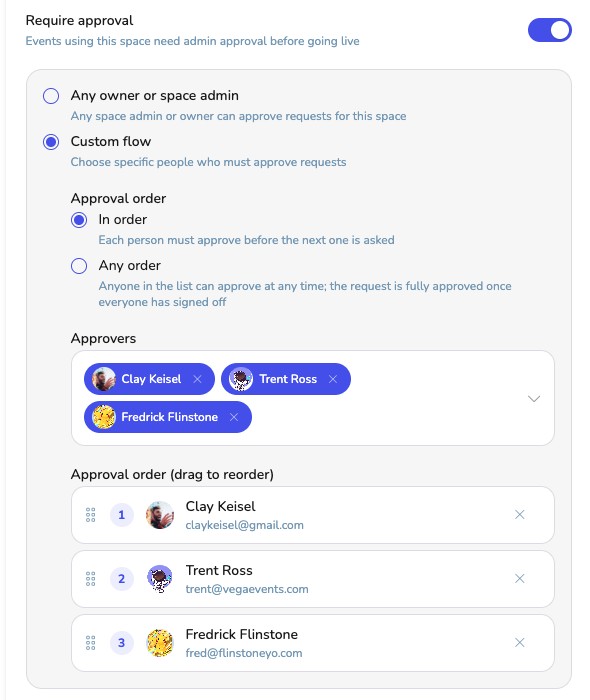
In Space Settings, turn on Require approval, then choose how sign-off works. Keep it simple with any space admin, or build a custom chain with the people who actually need to weigh in.

  • Any admin when a fast path is enough
  • In order so each person approves before the next is asked
  • Any order so everyone signs off before it goes live
Vega Space Settings: require approval toggle and custom approval flow with in-order approvers
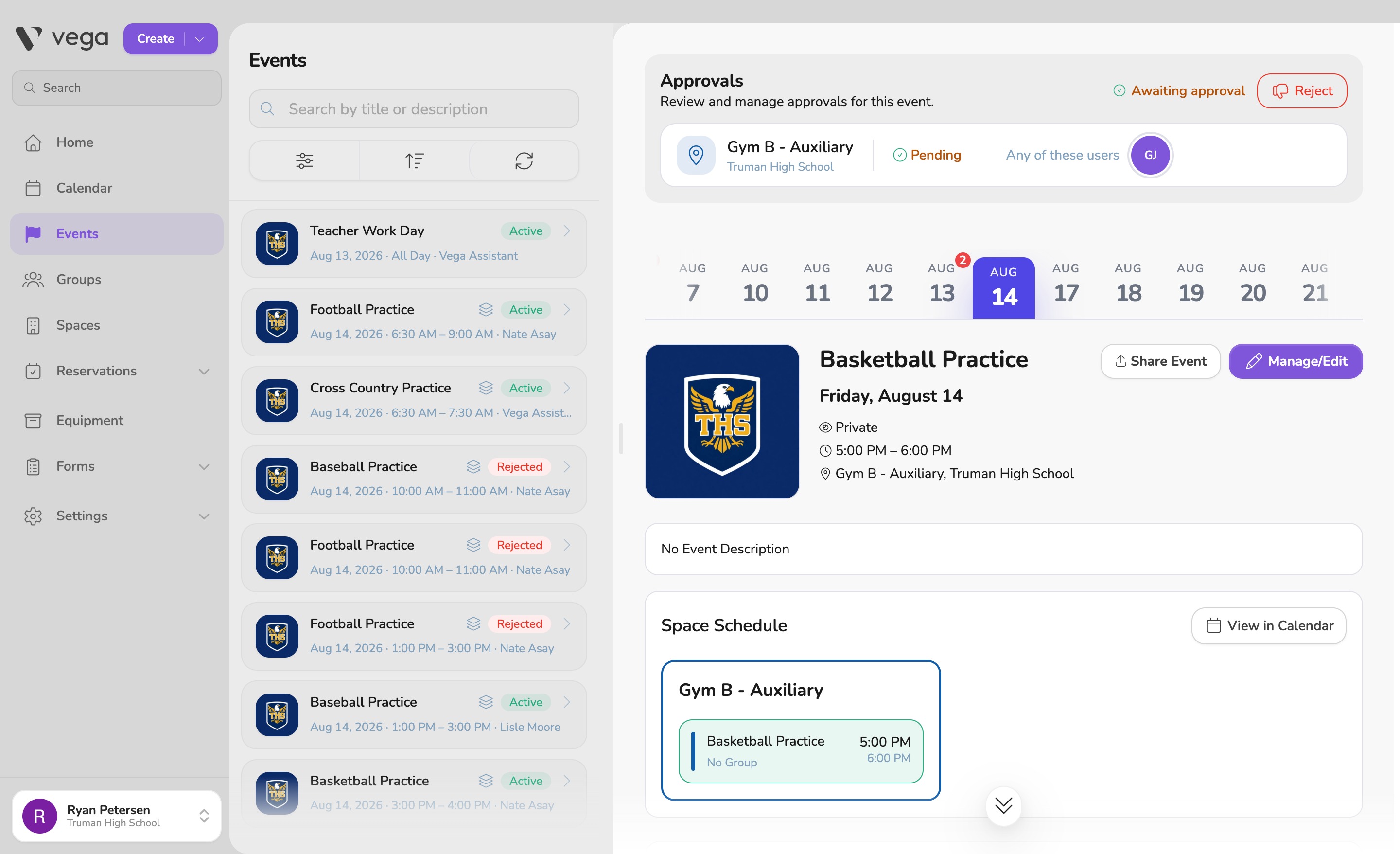
Vega Approvals panel for Auditorium with 1 pending and Approve/Reject actions Vega Approvals panel showing All approved for Auditorium after sign-off
On every event

Approvals you can actually read

Open an event and see progress at a glance: who’s pending, who’s signed off, and when it’s fully cleared. Multi-space events get a chain per space, so the gym and auditorium don’t collapse into one vague “pending.”

  • Pending to approved with names, counts, and clear status
  • Approve or reject in place, plus a dashboard queue for what’s waiting
  • Owners can unblock a stuck step so events aren’t stranded

What they're saying

Less chasing. Less “where is this stuck?” Clear chains that match how your school actually reviews events, and a queue that shows what’s waiting.

“I can finally see who approved the gym booking and who’s still next. We’re not guessing from a Pending label anymore.”

Activities director

"In order for the auditorium, any admin for classrooms. Same product, rules that fit each space."

Facility manager

"The dashboard queue is the first place I look in the morning. Open, approve, move on."

School admin

This is already in Vega.

Approval chains are live for schools on the platform. See them in a quick demo, or explore setup and tear-down for your next packed calendar.