





Approval first
It never changes your calendar, tickets, or people on its own. Every change waits for Approve & Run.
AI Assistant
Ask about your programs, facilities, and groups in plain words, from a bar at the bottom of every page. Ask for a change and Vega shows you the plan first.
Built to be trusted
The assistant proposes. You approve. It works inside the permissions your city already set.
It never changes your calendar, tickets, or people on its own. Every change waits for Approve & Run.
It works as you, with your role. A group leader can manage their group; only people who can refund can ask for a refund.
We do not let our AI providers train their models on what you ask or what it answers.
The AI Assistant is in Labs. Turn it on in Settings, under Features. Each request uses AI credits, from your city's balance first.
How it works
Which rooms are free Saturday morning? What still needs my approval? The assistant knows which event, space, or form you have open, so you don't hunt through menus.
A change comes back as a plan with Approve & Run and Decline. Nothing changes until you choose, and the assistant can only do what your role already allows.
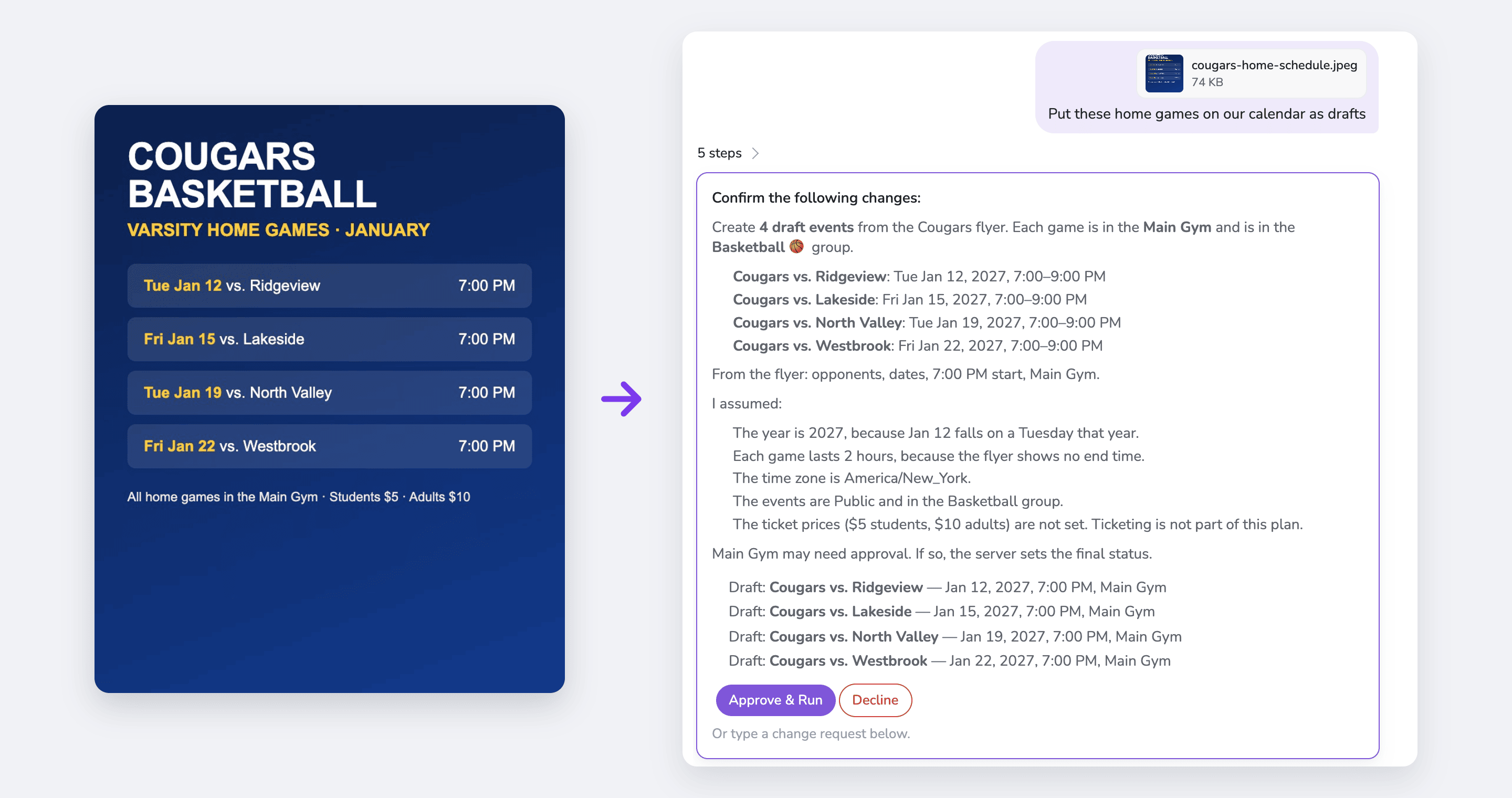
Drop in a flyer, PDF, or CSV of classes or league games and it drafts the events for you to review.
See it work
Type what you need on the page you are already on. The assistant finds the details and lays out exactly what it will change.
You stay in charge
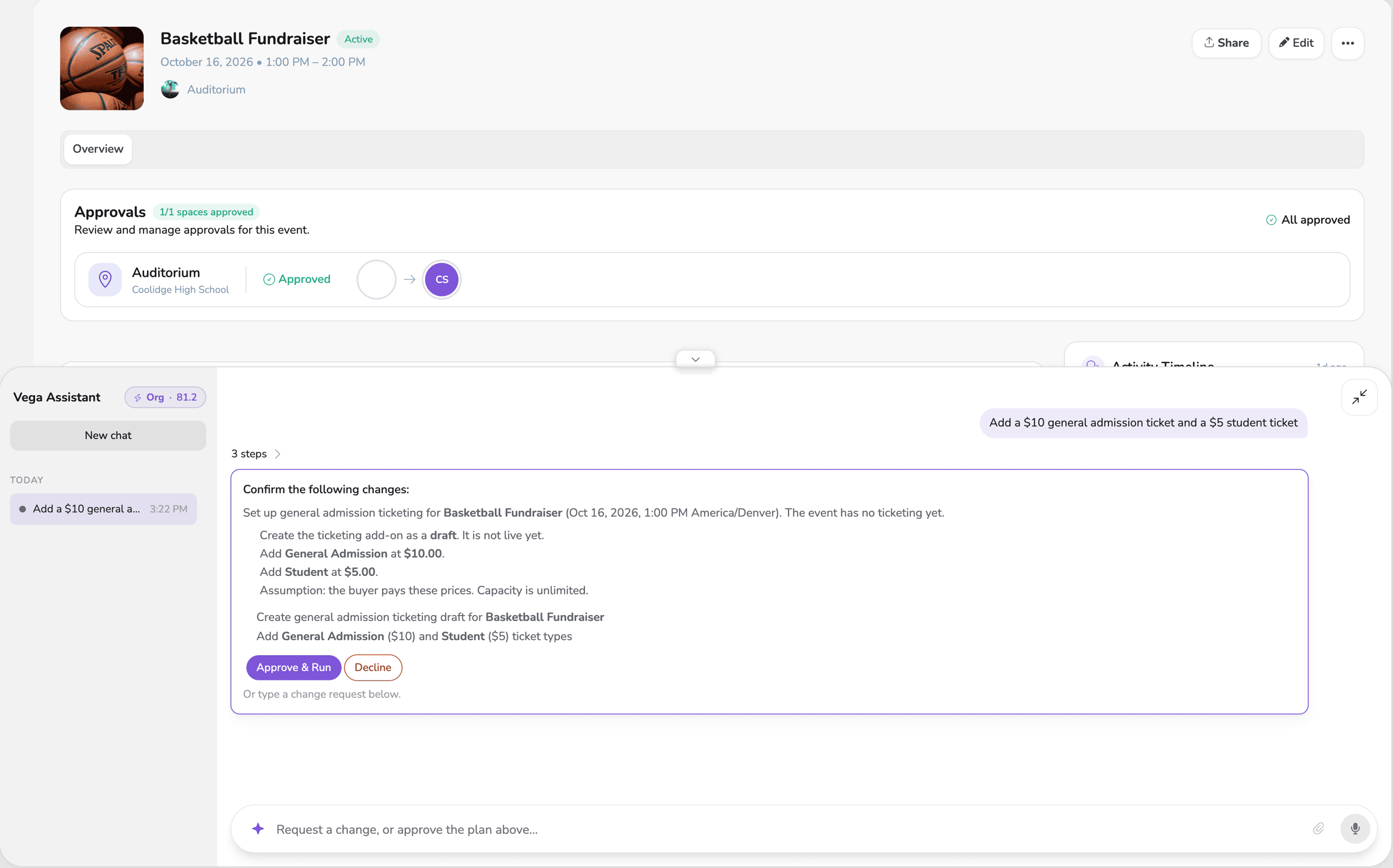
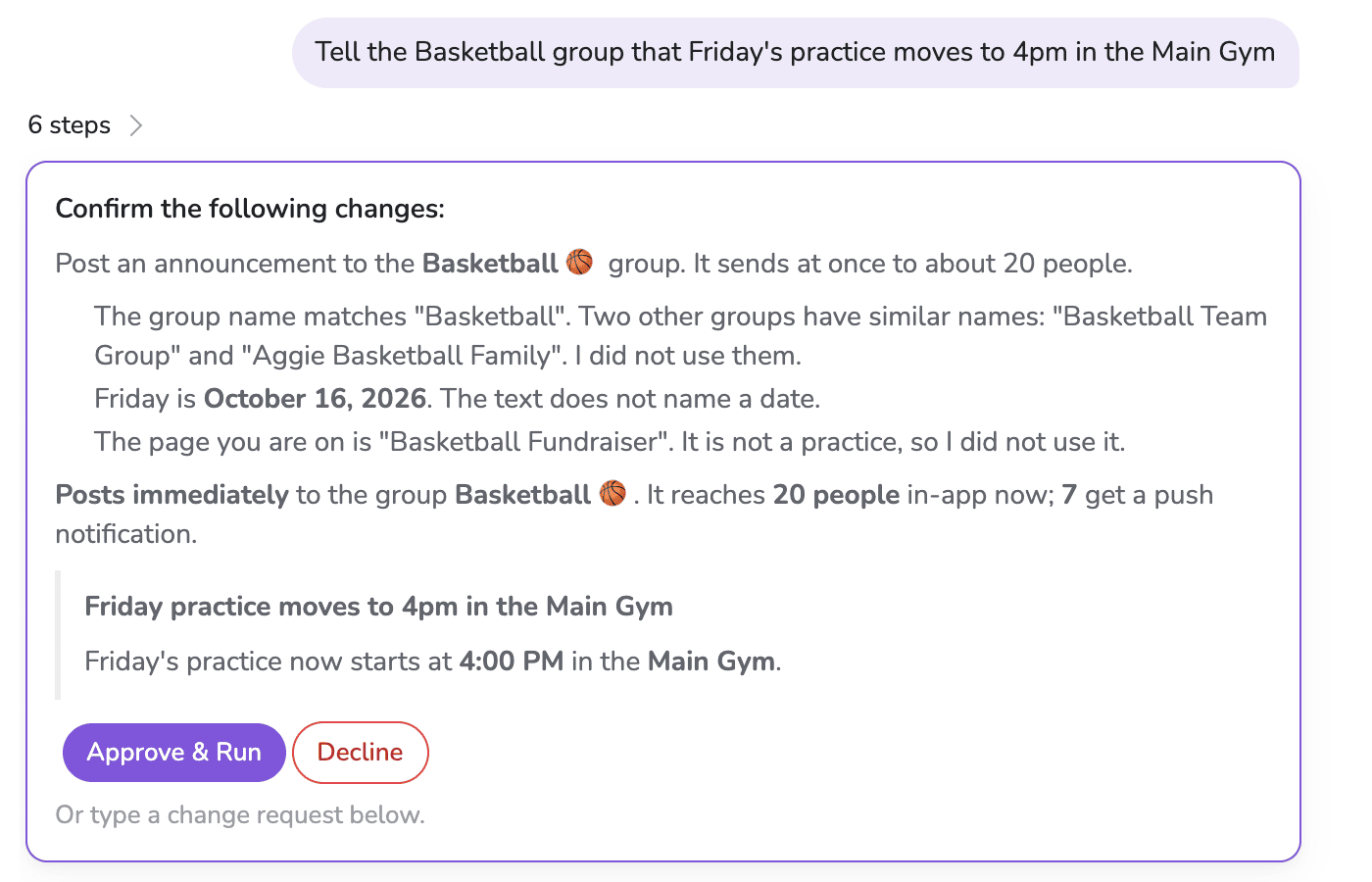
Ask for tickets, a season, or a moved practice and the assistant shows the plan, line by line. Nothing happens until you choose Approve & Run. Change your mind and Decline, or type what to fix.
Files in, events out
Drop in a schedule PDF, a photo of a flyer, or a CSV export. The assistant reads it, tells you what it assumed, and drafts the events for you to review. A long schedule goes to the calendar import, so nothing gets missed.
What you can ask
It works across the parts of Vega your staff already use. A few things people ask it:
Ask about anything
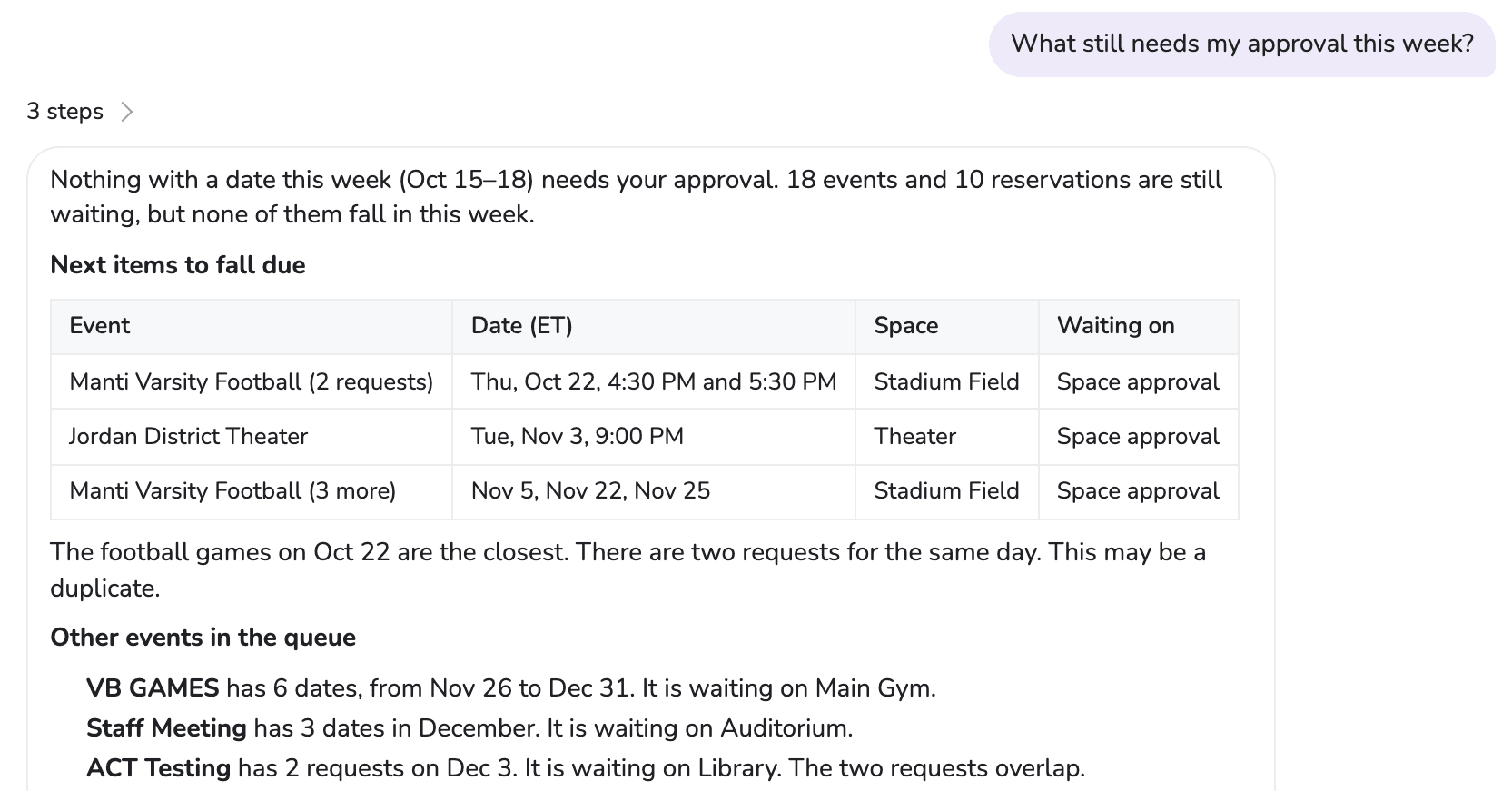
What is waiting on your approval, which spaces are open, how ticket sales are going. The assistant reads your own calendar and points out what needs attention, like two requests for the same field on the same day.
Request a demo and ask it about your programs, your facilities, and what is waiting on you.